Are you dealing with error codes on your Whirlpool Duet washer? You’re not alone. These codes are like a secret message from your washer. They tell you what’s wrong and how to fix it.
Washers like the WFW series have smart systems to find problems. Instead of worrying about error codes, we can figure them out together. This guide will help you fix your washer, no matter if it’s a WFW70HE or WFW88HE.
Most issues can be fixed without calling an expensive repair service. We’ll look at common problems and their solutions. You’ll learn how to make your washer work like new again.
Read also: Maytag Front Load Washer Error Codes
Understanding Your Whirlpool Duet Washer’s Diagnostic System
Your Whirlpool Duet washer has a smart diagnostic system. It helps you find and fix problems fast. This system uses error codes to make fixing your washer easier.
The diagnostic mode is a key feature. It lets you see what’s happening inside your washer. Knowing how it works can save you time and money on repairs.
How the Built-In Diagnostic System Works
When your Duet washer has a problem, the diagnostic system kicks in. It checks important things like:
- Water level
- Temperature
- Door lock status
- Drainage performance
To use the diagnostic mode, follow these steps:
- Plug in the washer with all indicators off
- Select any button except POWER, START, or STOP
- Press and hold the button for three seconds
- Release for three seconds
- Repeat the press-hold-release process three times
Compatible Whirlpool Duet Models
The diagnostic system works on many models. This makes fixing your washer easy and consistent. Here are the models it works with:
| Model Series | Specific Models |
|---|---|
| WFW70 Series | WFW70HE |
| WFW80 Series | WFW80HE, WFW81HE |
| WFW90 Series | WFW94HE, WFW95HE, WFW96HE, WFW97HE |
| WFW86 Series | WFW86HE, WFW8640 |
| WFW87 Series | WFW87HE, WFW8740 |
| WFW88 Series | WFW88HE |
These washers use the same diagnostic system. This makes it easy to find and fix problems in any model.
Most Common Whirlpool Duet Washer Error Codes
When your Whirlpool Duet washer shows error codes or flashing lights, don’t worry. These signals help you figure out what’s wrong. Knowing what they mean can save you time and money.
- SUDS Code: Shows too much soap in the wash cycle
- F5 E3: Means there’s a problem with the door lock
- dL/LdL: Shows the door won’t unlock
- F7 E1: Points to a communication issue between the control and motor
- F20/F21: Tells you there’s a problem with the drainage system
- F28: Shows a communication issue between the control and user interface
- F30/LF: Points to water fill issues
- F8 E1: Means there’s a problem with the flow meter
- F9 E1: Indicates an overflow
- F51/F52: Relates to motor control problems
Each error code is a clue to what’s wrong with your washer. The flashing lights are a way for your machine to tell you about problems.
Seeing an error code doesn’t mean you need to call a repairman right away. Many issues can be fixed with simple steps. I’ll explain these steps in the next parts of this guide.
Fixing the SUDS Error Code on Your Duet Washer
Dealing with whirlpool duet washer error codes can be frustrating, like the SUDS error. It means your washer’s suds levels are off. Knowing how to clear error codes is key to keeping your washer working well.
Understanding Excess Suds in Your Washer
The SUDS error (sometimes shown as 5d or SD) means too many soap bubbles in your washer. It can be caused by a few things:
- Using non-High-Efficiency (HE) detergent
- Adding too much detergent to the load
- Washing very small loads
- Potential issues with drain pump or pressure sensor
Step-by-Step Solution to Remove Excess Suds
When you see this error, follow these steps to fix it:
- Let the washer sit for 30 minutes to allow suds to dissipate
- Run a Rinse & Spin cycle without detergent
- Check and clean the drain pump if problems persist
| Error Code | Meaning | Quick Fix |
|---|---|---|
| SUDS (5d/SD) | Excessive Soap Suds | Use HE Detergent, Reduce Amount |
| Persistent Error | Potential Pump Issue | Inspect Drain Pump |
To avoid SUDS errors, always use High-Efficiency detergent and follow the recommended amount. A monthly cleaning cycle with a washer cleaner can also help prevent soap scum buildup. This keeps your Whirlpool Duet washer running efficiently.
Resolving Door Lock Errors: F5 E3, dL, and LdL Codes
Door lock errors can be frustrating for Whirlpool Duet washer owners. These errors can stop your machine from working right. Knowing these error codes helps you find and fix the problem fast.
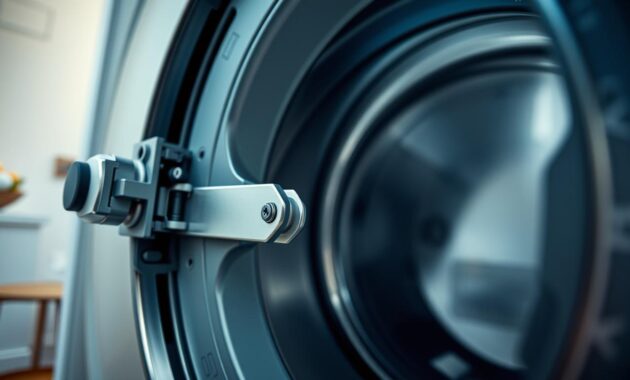
Whirlpool Duet washer error codes for door locks include F5 E3, dL, and LdL. These codes show specific problems with the washer’s door locking mechanism. You need to fix these issues right away.
Understanding Door Lock Error Symptoms
When you see these error codes, you might face a few issues:
- Washer won’t start a cycle
- Door won’t lock or unlock right
- Cycle stops mid-wash
- Safety features stop the washer from working
Testing the Door Lock Mechanism
Here’s a step-by-step guide to find door lock problems:
- Look for any blockages around the door seal
- Check the door lock tab for damage
- Clean the contact points with isopropyl alcohol
- Use a multimeter to test the door lock assembly
Common Causes of Door Lock Failures
Several things can cause whirlpool duet washer error codes for door locks:
- Debris buildup stops the door from closing
- Worn or damaged door lock mechanism
- Broken door lock tab
- Electrical connection problems
If cleaning and checking don’t fix the error, you might need a new door lock assembly. Replacing it is usually affordable and can get your washer working again fast.
How to Clear Drainage Error Codes F21 and F20
When your Whirlpool Duet washer shows error codes F20 or F21, it means you have a serious drainage problem. These codes usually mean your washer can’t get rid of water during the wash cycle.
Read also: Decoding Whirlpool Dishwasher Error Codes
The duet washer f21 error often comes from a few main issues. These include a clogged drain hose, a blocked pump filter, kinked drainage lines, or a faulty drain pump.
Let’s go over how to find and fix these problems. First, check the drain hose for any blockages or bends that might stop water flow.
To fix a duet washer f20 error, follow these steps:
- Unplug the washer for safety
- Inspect the drain hose for kinks or damage
- Remove the front panel to access the pump filter
- Clean out any debris from the filter
- Check the drain pump for any mechanical problems
| Error Code | Potential Cause | Recommended Action |
|---|---|---|
| F20 | Slow Drainage | Clean drain hose and filter |
| F21 | Complete Drainage Failure | Inspect drain pump, potentially replace |
Pro tip: If you’re not sure about fixing these issues, call a professional appliance technician. They can safely and efficiently solve the drainage problems.
Troubleshooting Communication Faults: F7 E1 and F28 Codes
Seeing error codes on your Whirlpool Duet washer can be annoying. Codes F7 E1 and F28 mean big communication problems. It’s key to know these codes for fixing your washer.
These errors mean the washer’s parts aren’t talking to each other right. This could be because of bad wiring, connector issues, or a broken control board.
Identifying Communication Error Symptoms
First, spot the signs of communication faults:
- Washer stops mid-cycle
- Control panel becomes unresponsive
- Error codes F7 E1 or F28 appear on display
- Washer fails to start or complete wash cycles
Inspecting Wiring Between Control Boards
To find the problem, check the wiring. Unplug the washer and open the control board area. Look for these issues:
- Loose wire connections
- Damaged wire harnesses
- Corroded connector pins
- Signs of moisture damage
Using a Multimeter to Test Connections
If you can’t find the problem by looking, use a multimeter. Set it to continuity mode and test each wire. A good connection shows zero resistance or a continuous beep.
If the multimeter doesn’t show anything but the error stays, it might be a control board issue. In this case, getting it fixed by a pro might be best.
Fixing Temperature and Pressure Sensor Errors
Dealing with Whirlpool Duet washer error codes can be challenging. I’ll guide you through common issues and how to fix them.
Pressure sensor errors often stem from blockages in the sensing hose. These issues can disrupt your washing. Here’s how to troubleshoot:
- Find the pressure sensing hose (it’s usually clear or colored)
- Check for kinks, cracks, or blockages
- Clean or replace the hose if needed
- Test the pressure switch by blowing gently into the hose
Temperature sensor problems occur when your washer can’t read water temperature right. These errors need careful checking. Make sure to inspect wire connections between the control board and temperature sensor.
Here are key steps for diagnosis:
- Ensure wire connections are tight
- Use a multimeter to test sensor resistance
- Look for a resistance of about 50,000 ohms at room temperature
- Replace the sensor if readings are off
Replacing sensors is usually not very expensive, costing between $20 and $60. With careful troubleshooting, you can avoid costly repairs.
Dealing with Motor Control Issues: F51 and F52 Error Codes
When your Whirlpool Duet washer shows F51 or F52 error codes, you have a serious motor problem. These codes mean there might be issues with the motor or its control board. You need to fix this right away.
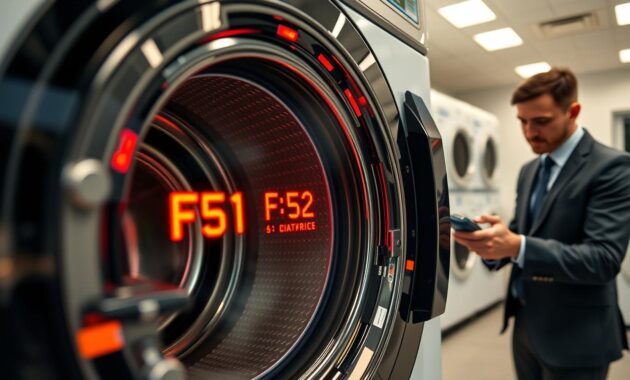
Dealing with motor control errors can be tough and annoying. Knowing about these codes can help you save time and money. These errors usually mean the motor control system can’t fix itself.
Diagnostic Steps for Motor Control Problems
Before you spend a lot on repairs, try these steps:
- Manually rotate the washer drum to check for free movement
- Listen for unusual motor sounds like grinding or high-pitched whining
- Check for visible damage to the motor or control board
- Test motor resistance using a multimeter
Determining Motor Control Board Replacement
Replacing the motor control board is a big deal. You’ll know you need it if:
- Persistent error codes after initial diagnostics
- Motor fails electrical testing
- Visible burn marks on the control board
- Washer stops mid-cycle consistently
Remember, replacing the motor control board can cost $150-$300. For older washers, it might be cheaper to get a new one.
Solving Water Fill Problems: LF, F30, and F8 E1 Codes
Dealing with whirlpool duet washer error codes related to water filling can be a challenge. But knowing the specific issues can save you a lot of time and stress. The LF, F30, and F8 E1 error codes usually mean there’s a problem with the water supply.
Let’s look at these common water fill errors and how to fix them on your Whirlpool Duet washer:
- LF (Long Fill) or F30 Code: Shows the washer takes too long to fill with water
- F8 E1 Code: Points to a flow meter fault that stops water detection
Here are some important steps to troubleshoot these whirlpool duet washer error codes:
- Check water supply valves
- Make sure both hot and cold water valves are fully open
- Turn valves counterclockwise completely
- Inspect inlet hoses
- Look for any kinks or damage
- Check if they’re properly connected to the water sources
- Clean inlet hose screens
- Remove and rinse the screens
- Clear out any sediment buildup
If these steps don’t fix the problem, you might need to check the water inlet valve or flow meter. A bad inlet valve can stop water from filling properly. A faulty flow meter might say there’s a water supply problem when there isn’t.
Pro tip: For an HC error code, try swapping the hot and cold water hoses. This simple swap can often fix complex water fill issues.
Understanding Flow Meter and Overflow Faults
Whirlpool Duet washer error codes can be frustrating for homeowners. Flow meter and overflow faults are critical signals that protect your washer from water damage. Understanding these issues is key for effective whirlpool washer troubleshooting.
The Whirlpool Duet washer has safety features to prevent water overflow. You might see error codes like F9 E1 and F8 E1. These codes show water management problems in your appliance.
Identifying Water Inlet Valve Malfunctions
Water inlet valve issues can cause overflow errors in your Whirlpool Duet washer. These problems can stem from several causes:
- Stuck open valve allowing continuous water flow
- Electrical solenoid failure
- Mineral buildup preventing proper closure
- Worn-out valve components
Diagnostic Steps for Pressure Switch and Flow Meter
To fix whirlpool duet washer error codes f9 e1, you need to do systematic diagnostics. Here’s a detailed guide to test key components:
| Component | Test Method | Expected Outcome |
|---|---|---|
| Pressure Switch | Multimeter continuity test | Consistent resistance readings |
| Flow Meter | Visual inspection | No visible damage or debris |
| Water Inlet Valve | Electrical resistance check | 500-1500 ohms resistance |
By checking these components, you can diagnose and fix most overflow and flow meter issues in your Whirlpool Duet washer.
How to Reset Your Whirlpool Duet Washer After Error Codes
Resetting your Whirlpool Duet washer can fix error codes and make it work again. To reset your washer, follow a few important steps. This will help you do it right.
Here are three ways to clear error codes on your Whirlpool Duet washer:
- Quick Cancel Method
- Press the Cancel/Pause button twice
- Works best for minor error codes
- Fastest reset option
- Power Reset Method
- Unplug the washer completely
- Wait 10 minutes
- Plug back in and restart
- Dial Reset Method
- Turn dial clockwise full rotation
- Turn dial counterclockwise full rotation
- Listen for reset clicks
When you’re figuring out how to clear error codes, remember these tips:
- Always fix the problem first
- Run a test cycle after resetting
- Check your owner’s manual for specific instructions
| Reset Method | Best For | Time Required |
|---|---|---|
| Cancel Button | Minor Errors | 30 Seconds |
| Power Reset | Most Error Codes | 10-15 Minutes |
| Dial Reset | Mechanical Dial Models | 2-3 Minutes |
If error codes keep coming back, it’s time to call a repair technician. They can find and fix the real problem with your Whirlpool Duet washer.
Conclusion
Dealing with Whirlpool Duet washer error codes doesn’t have to scare you. I’ve shown you how to handle common problems with these reliable machines. Now, you know how to fix most issues on your own.
Keeping your washer in good shape is important. Front-loading washers, like the Whirlpool Duet, can last up to 15 years with the right care. By using the troubleshooting tips we’ve shared, you can make your washer last longer and save on repairs.
Whirlpool Duet washer error codes are actually useful. They help you find and fix problems fast. Whether it’s a clog, a door issue, or a sensor problem, you can usually solve it with some basic steps.
If you’re stuck or unsure, it’s okay to call a certified Whirlpool technician. Your safety and the life of your appliance are important. Keep this guide handy for future problems. You’ll be ready to keep your washer working well for years.