Cooking dinner can quickly turn frustrating when your Samsung stove suddenly displays mysterious error codes. These codes might seem intimidating, but most are simple communication tools. They help you diagnose minor issues. In this guide, I’ll explain the most common samsung range error messages, like SE, C-d0, and C-21.
Don’t panic! Many of these codes can be fixed without calling a technician. I’ll show you what these cryptic messages mean and how to troubleshoot them. By the end of this article, you’ll know how to handle these technical hiccups like a pro.
Understanding Your Samsung Stove’s Error Messages
When your Samsung stove shows mysterious codes, it might seem like a puzzle. These codes are your stove’s way of telling you about possible problems. They help you figure out what’s going on inside your oven without needing to be a tech expert.
Why Error Codes Appear on Your Display
Understanding these diagnostic codes is key to fixing your Samsung stove. Your stove has advanced sensors and systems that check its parts and functions. If something’s off, it shows a specific error code to help you find the problem.
- Sensor malfunctions
- Electrical connection issues
- Temperature regulation problems
- Internal component failures
Read also: How to Fix Whirlpool Duet Washer Error Codes
When to Worry About Error Codes
Not all error codes mean you need to panic. Some can be fixed with a simple reset. Here’s how to handle Samsung appliance error codes:
| Error Code Behavior | Recommended Action |
|---|---|
| Disappears after reset | Likely minor issue, continue monitoring |
| Persistent code | Requires professional diagnosis |
| Recurring after reset | Contact Samsung support |
These codes are meant to help you keep your appliance running well. By paying attention to them, you can fix problems early. This can save you time and money on repairs.
Samsung Stove Error Codes: Complete Overview
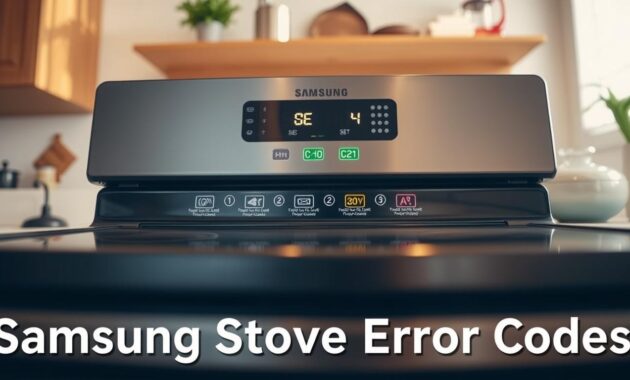
Understanding samsung range fault codes can seem like a puzzle. Each code on your Samsung gas stove has a specific message. It’s like your stove is talking to you about any issues it might have.
Samsung stove error codes are grouped into main categories. These help you quickly find out what might be wrong:
- Button-Related Issues (C-d0)
- Safety Shutoff Alerts (S-01)
- Mechanical Malfunctions (C-d1)
- Temperature Sensor Problems (C-20/C-21/C-22)
- Communication Errors (C-F0/C-F1/C-F2)
Knowing these codes can save you time and money. Each code tells you something important about your appliance. Remember, different models might have different codes, so always check your stove’s manual.
Some error codes are just minor issues, but others can be serious. Spotting these codes early can help you figure out if you can fix it yourself or if you need a pro.
In the next parts, I’ll explain each error code category. I’ll tell you what they mean and how to fix them. By the end, you’ll know how to handle your Samsung stove’s messages with confidence.
Fixing the C-d0 Button Problem Error
Dealing with Samsung stove error codes can be tough, but the C-d0 error is extra frustrating. It shows a problem with your stove’s control panel. You need to troubleshoot it carefully.
The C-d0 error usually means a touch control button issue. This can happen for a few reasons in the kitchen.
What Causes the C-d0 Error Code
The C-d0 error often happens because of:
- Water splashes near the control panel
- Food debris around buttons
- Moisture buildup from cooking steam
- Potential button malfunction
Step-by-Step Solutions for C-d0
To fix this error, follow these steps:
- Turn off the stove completely
- Unplug the appliance for 30 seconds
- Clean the control panel gently with a soft, slightly damp cloth
- Ensure the area is completely dry
- Plug the stove back in and restart
If the C-d0 error keeps coming back, it might be a serious touch panel problem. You should call Samsung’s professional service then.
| Error Symptom | Potential Cause | Recommended Action |
|---|---|---|
| Continuous C-d0 Display | Water/Moisture Interference | Dry Control Panel Thoroughly |
| Recurring Error | Button Malfunction | Professional Repair Needed |
Remember, cleaning well and acting fast can fix C-d0 errors without big repair costs.
Resolving C-21 Temperature Sensor Malfunctions
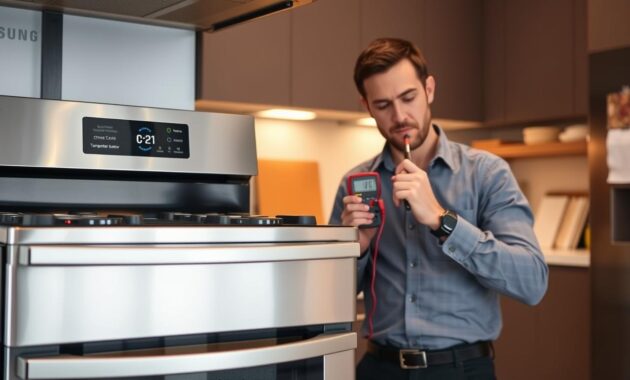
Dealing with the C-21 error code on your Samsung electric range can be tough. It shows a serious problem with the temperature sensor. I’ve faced this issue before and will guide you on how to fix it.
The C-21 error means your Samsung electric range has found an odd temperature reading. This could be because the oven is too hot or the sensor is not working right. Here’s what to do when troubleshooting:
- Turn off the oven right away when you see the C-21 code
- Unplug the electric range from the power source
- Let the oven cool down for 2-3 hours
- Plug it back in and start the oven again
If the error code keeps showing up, the temperature sensor might need to be replaced. Look out for signs like food cooking unevenly or temperatures not staying steady. If these problems keep happening, you might need a pro to fix it.
Always listen to the temperature sensor warnings. They keep your appliance safe and prevent cooking dangers. If you’re unsure, reach out to Samsung support for help.
Understanding the SE Error Code on Samsung Stoves
Seeing a samsung stove error s e on your Samsung oven might worry you. But, the samsung se error, also known as S-01, is a safety feature. It’s designed to keep your appliance safe and prevent dangers.
The samsung oven se code is not a fault but a smart safety check. It watches how long your oven runs. This code kicks in when it hits certain temperature and time limits.
Safety Shutoff Feature in Detail
Samsung’s safety shutoff works at different heat levels:
- Low temperatures (under 105°C): 16-hour limit
- Medium temperatures (105°C-240°C): 8-hour limit
- High temperatures (245°C and above): 4-hour limit
Clearing the S-01 Code
Fixing the SE error is easy. Just follow these steps:
- Turn off the oven completely
- Remove any food inside
- Wait a few moments
- Restart the oven normally
This safety feature guards your oven from fire risks and damage from too much use. It’s not a sign of a broken appliance. It’s a smart design to keep you safe.
Common Communication Errors: C-F0, C-F2, and C-F1
When you’re trying to fix a c f2 error code on your Samsung stove, knowing about communication errors can help a lot. Samsung stoves have complex electronic systems. Sometimes, these systems have problems talking to each other.
These errors show up as three specific codes. Each code means a different kind of technical problem:
- C-F0: No communication between main and sub control boards
- C-F2: Touch control panel communication problem
- C-F1: Memory storage (EEPROM) reading/writing issue
To fix a c f2 error code on your Samsung stove, follow a simple step-by-step guide:
- Unplug the stove completely
- Wait 30-60 seconds to reset internal systems
- Plug the stove back in and restart
- Check if error code disappears
If the error code doesn’t go away after trying these steps, it might be a bigger problem. You might need a professional Samsung service technician to fix it. These errors often point to control board issues that are hard to solve at home.
Additional Samsung Range Error Messages You Might Encounter
When using Samsung stoves, you might face some uncommon but annoying error codes. I’ll explain some specific issues you could meet while cooking.
Door Lock Malfunctions (C-d1)
The C-d1 error code usually means there’s a problem with your stove’s door lock. This can happen during self-cleaning cycles or when the oven’s safety systems spot an issue with the door. If you see this error or similar door lock problems, here are some quick fixes:
- Unplug the stove for 30 seconds
- Check for any visible obstructions in the door latch
- Ensure the oven has completely cooled down
- Carefully examine the door seal and locking mechanism
Divider Check Codes (dC and dE)
Samsung’s Dual Cook models have unique error codes for their special cooking divider. The dC and dE codes show up when you’ve managed the divider wrong during cooking. Here’s what you need to know about these issues:
- Never remove the divider while cooking in Dual mode
- Do not insert the divider during an active cooking session
- Always turn off the oven before adjusting the divider
- Let the oven cool completely before making any changes
While these tips cover many error code situations, each model might have slight differences. Your specific user manual is the best guide for exact troubleshooting steps.
Troubleshooting Tips Before Calling Samsung Service
Dealing with samsung range error messages can be frustrating. But, many issues can be fixed without a costly service call. I’ve found some key strategies for troubleshooting Samsung ovens that save time and money.
Before calling Samsung service, try these essential steps:
- Write down the exact error code displayed
- Perform a power cycle by unplugging the oven for 30 seconds
- Check for obvious issues related to the specific error code
- Consult your specific model’s user manual
Finding your model number is key. It’s usually inside the door or on the back. Samsung’s online support is great for figuring out error messages.
Some error codes just mean the oven is working right. For example, the Pr E preheating message or S-01 safety shutoff are normal. To avoid problems, I suggest:
- Keeping the control panel clean and dry
- Avoiding extreme temperature use
- Ensuring proper ventilation
- Checking door seals and locks periodically
If an error code keeps showing up or you notice odd noises, smells, or performance, it’s time to call Samsung’s customer service. They offer warranty coverage and professional help, giving you peace of mind when DIY fixes don’t work.
Conclusion
Understanding samsung appliance error codes can seem tough at first. But, once you get it, fixing problems becomes easier. We’ve covered common codes like C-d0, C-21, and SE. We explained what they mean and how to fix them.
When you see an error code on your Samsung stove, it’s not always bad news. Most codes are just warnings to help you find issues. Try unplugging the stove for 30 seconds to fix simple problems. But, if codes keep showing up or involve tricky parts, you might need a pro.
My advice is to stay calm and follow a step-by-step plan. Have your model number and manual ready. And don’t be afraid to ask for help if you’re not sure about repairs. Knowing about these codes helps you keep your stove in top shape and might save you money.
Remember, these error codes are there to help you, not scare you. With the right knowledge and approach, you can handle most issues that come up. So, keep using your Samsung stove with confidence.