Are you confused by the error codes on your Samsung dryer? Blinking lights and cryptic messages can make laundry day stressful. These codes might seem like a secret language, making you want to call an expensive repair service.
But don’t worry! I’ve put together a detailed guide to help you understand these codes. Most problems can be fixed quickly with the right steps. This guide will help you solve error codes, whether your dryer has a digital display or blinking lights. It will get your laundry routine back on track.
Understanding Your Samsung Dryer’s Error Code System
Samsung dryers have a smart system to quickly find problems. The dryer symbols and samsung dryer flashing codes are like a secret language. They tell you exactly what’s happening inside your appliance.
Modern dryers have smart sensors that watch over different parts and functions. When something goes wrong, these sensors send out specific error codes. This helps you understand the problem.
How Error Codes Appear on Different Displays
Error codes look different based on your dryer model:
- Digital displays show codes like “dE” or “tC”
- Non-digital models use blinking lights to show problems
- Some newer models have text with error codes
Read also: How to Troubleshoot Whirlpool Front Load Washer Error Codes
Why Samsung Dryers Use Error Codes
The error code system has many important uses:
- It gives quick diagnostic info
- It helps find specific mechanical or electrical issues
- It cuts down on unnecessary repair calls by guiding you
- It saves time and money by finding exact problems
By knowing these dryer symbols and samsung dryer flashing codes, you can fix some issues yourself. The important thing is to stay informed and watch the error messages your dryer shows.
Door-Related Error Codes for Samsung Dryers
When your Samsung dryer shows a dc code, it means there’s a door problem. These codes can be annoying, but they’re easy to solve.
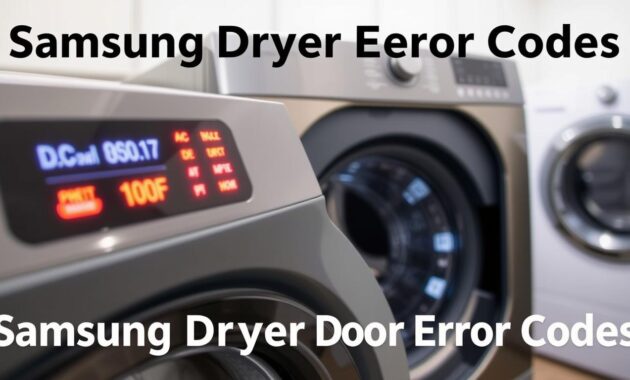
I’ve seen many dc and de error codes on Samsung dryers. They usually come from a few common issues. Let’s look at the most common door problems:
- Door not closing completely
- Damaged door latch mechanism
- Obstructions preventing proper door seal
- Faulty door sensors
- Child lock activation
Here’s a quick guide to fix de error codes:
- Check for clothing caught in door seal
- Inspect door latch for visible damage
- Clean door area and remove any debris
- Verify door closes with a firm, audible click
- Disable child lock if accidentally activated
Read also: How to Fix Whirlpool Duet Washer Error Codes
| Error Code | Potential Cause | Recommended Action |
|---|---|---|
| dC | Door not fully closed | Realign door, remove obstructions |
| dE | Door latch malfunction | Check latch mechanism, replace if damaged |
| dF | Sensor communication error | Reset dryer, contact Samsung support if persistent |
If these steps don’t work, it’s time to call a pro. Samsung’s support team can handle more complex issues.
Temperature Sensor Error Codes (tS, t5, tC, tO, t0, tE, tE3, tC5, tCS)
Samsung dryer temperature sensor errors can be frustrating. These te error samsung dryer codes show problems with temperature in your dryer. Knowing these codes helps you find and fix issues without needing a pro.
These errors show up as specific codes. They might seem complex, but they usually point to simple issues in your dryer’s heating system.
Common Causes of Temperature Errors
Most temperature errors come from a few main problems:
- Clogged lint screen blocking airflow
- Blocked exhaust venting system
- Faulty temperature sensors
- Overheating internal components
How to Clean Your Lint Screen and Vent System
Keeping your dryer clean can prevent many errors. Here’s how to do it:
- Remove and clean the lint screen after every load
- Disconnect the vent hose from the back of the dryer
- Use a vent cleaning brush to remove accumulated lint
- Check exterior vent openings for blockages
| Error Code | Potential Cause | Recommended Action |
|---|---|---|
| tS, t5 | Air Temperature Sensor Issue | Clean lint screen, check venting |
| tC, tO | Compressor Temperature Problem | Reset dryer, check for obstructions |
| tC5, tE3 | Persistent Temperature Sensing Error | Contact Samsung Support |
If cleaning and basic checks don’t fix the error, call Samsung’s support. They can do a deep check and fix it right.
Heating System Error Codes (HC, hE, HC4, 1 HC)
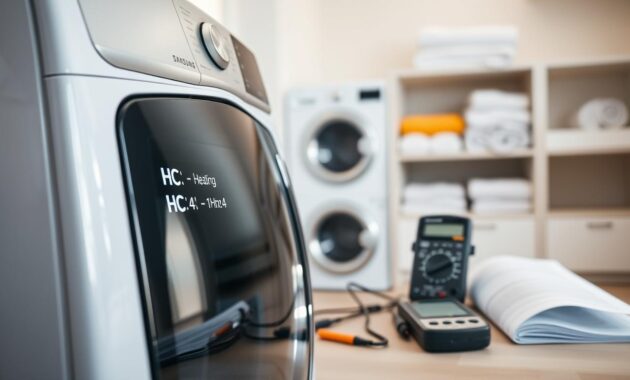
When your Samsung dryer shows a samsung dryer he error code, it means there’s a heating issue. These alerts can point to small problems like blocked airflow or bigger issues like electrical or gas problems.
The main reasons for the samsung dryer not heating error are:
- Blocked airflow from lint buildup
- Problems with the electrical or gas heating system
Now, let’s look at the common heating error codes you might see:
- HC Code: Shows overheating in your dryer
- hE Code: Means the heating element is not working right
- HC4 Code: Usually points to temperature sensor issues
- 1 HC Code: Often means a complex heating system problem
Before getting worried, try some simple fixes. First, check your lint screen and exhaust vent. If they’re clogged with lint, it can stop heat from flowing, causing these error codes. Clean them well to see if it fixes the problem.
Read also: Whirlpool Stove Error Codes
For electric dryers, low voltage can also cause heating issues. Make sure your dryer gets the full 240V it needs to work right. If you’re not sure about the electrical setup, it’s best to get a licensed electrician to check it.
Gas dryer users need to be extra careful. An HC2 code might mean there’s a problem with the gas ignition. This is a serious issue that needs a professional to fix it safely.
Samsung Dryer Error Codes: Voltage and Power Issues (9C1, 9E, 2E, 9E1)
Dealing with dryer power issues can be frustrating for homeowners. Samsung dryer troubleshooting often involves understanding specific error codes related to voltage and electrical supply. These codes provide critical insights into possible problems with your appliance’s power system.
When your Samsung dryer shows error codes like 9C1, 9E, 2E, or 9E1, it means there’s an electrical power problem. These codes usually point to issues with voltage supply or electrical connections.
Checking Your Dryer’s Power Supply
To fix dryer power issues, follow these essential steps:
- Verify the power cord is fully plugged into the outlet
- Ensure the dryer is connected to a dedicated electrical circuit
- Check that no extension cords are being used
- Inspect the circuit breaker for any tripped switches
Understanding Voltage Requirements for Electric Dryers
Electric dryers need specific voltage configurations. Most Samsung electric dryers require a 240-volt power supply. This is different from the standard 120-volt household outlets. Using the wrong voltage can cause error codes and stop the dryer from working right.
If you keep getting power-related error codes, it’s best to call a licensed electrician. They can find and fix complex electrical problems that are hard to solve on your own.
Pro tip: Always check your dryer’s manual for specific voltage requirements and installation guidelines. This can help prevent power-related problems.
Communication and Control Panel Errors (AC, Et, AE, bE, bE2, bC2, 6E)
Samsung dryer control panel errors can be frustrating. But knowing these communication error codes helps you fix problems fast. These codes show that your dryer’s parts are having trouble talking to each other.
When you see codes like AC, Et, AE, or similar, it means your dryer’s systems are not working together. It’s like a computer with tangled wires – the parts can’t share important info.
- AC and AE codes suggest communication interruptions between circuit boards
- Et codes indicate possible timing problems in communication
- bE and 6E codes often relate to control panel button malfunctions
I suggest a simple fix for these errors:
- Unplug the dryer completely
- Wait 60 seconds to reset the systems
- Plug the dryer back in
- See if the error code goes away
If you keep getting the same error codes, like AC6 or AE6, it might need a pro to check. If you have button errors (bE, bE2) that won’t go away, even after cleaning, call Samsung support. They might need to replace the control panel.
Vent Blockage Test Results and What They Mean (Clg, C80, C90, Ct)
When your Samsung dryer has airflow issues, the diagnostic mode helps. The vent blockage test is key. It shows problems before they get worse.
Knowing what the vent blockage test codes mean can save time. These codes tell you about your dryer’s exhaust system health.
Decoding Vent Blockage Test Results
- Clg/Cg Code: Shows a complete vent blockage
- C80/C8 Code: Means about 80% vent blockage
- C90/C9 Code: Warns of over 90% blockage
- C1/CL1 Code: Finds laundry in the drum during test
- Ct Code: Signals temperature outside test range
Performing the Vent Blockage Test
Running a vent blockage test is easy. Check your user manual for model-specific steps. Most Samsung dryers have a similar process. Press and hold certain buttons to enter the diagnostic mode and start the test.
If you see any codes, act fast. Clean your lint filter well and check the exhaust vent system. If you keep getting warnings, you might need a pro to clean or maintain it.
Additional Error Codes and Troubleshooting Tips
Dealing with Samsung dryer error codes can be challenging, even for common issues. I’ll cover some extra error codes for your Samsung DV45H7000. I’ll also share useful tips for fixing problems.
Decoding Unique Error Codes
Some error codes need extra care. Let’s look at the most important ones you might see:
- FC/FE (Frequency Errors): Shows an incorrect power source frequency
- 3C (Motor Error): Points to a motor problem
- oD (Dry Time Error): Talks about odd drying cycle times
- dn (Download in Progress): Firmware update is happening
Seeing the dn code means you need to wait. Don’t unplug or stop the dryer during this update. It might take a while, and stopping it could break your dryer.
Specific Troubleshooting Strategies
For samsung dv45h7000 error codes, try these steps:
- Restart the dryer cycle
- Check power connections
- Make sure the electrical outlet works
- Look at the inside parts
When to Seek Professional Help
Some problems need a pro. Call the Samsung Service Center if you see:
- Same error codes keep coming back after trying to reset
- Damage to the dryer’s parts
- Issues with gas lines or electrical systems
- Strange noises or smells
Your safety is the most important thing. While many errors can be fixed at home, some need a pro’s help.
Conclusion
Dealing with Samsung dryer error codes doesn’t have to be hard. I’ve covered the most common errors and how to fix them. This guide is here to help you solve problems fast.
Fixing your Samsung dryer is easier than you think. Many issues can be solved with simple steps like cleaning the lint filter. Also, check the ventilation and power connections. Taking care of your dryer regularly can prevent many problems.
If you’re stuck, don’t worry. Samsung’s support team is ready to help. They have the skills to fix complex issues. It’s okay to ask for help to keep your dryer working well.
Keep your user manual handy and register your dryer with Samsung. Also, save this guide for later. With the right tools and knowledge, you can handle most dryer errors. This way, your dryer will stay in top shape.