Ever stared at your KitchenAid oven display, puzzled by the mysterious F2E1 error code? You’re not alone. This frustrating message can disrupt your cooking plans and leave you wondering what’s gone wrong. The kitchenaid oven error code F2E1 usually means a problem with the control panel or keypad.
Panic sets in as you imagine costly repairs or a completely broken oven. But take a deep breath. Most F2E1 errors are surprisingly simple to diagnose and fix. Whether it’s moisture, a stuck button, or a minor electrical glitch, I’ll guide you through understanding and resolving this common KitchenAid oven issue.
Read also: How to Fix LG Refrigerator Error Codes
In this guide, you’ll learn exactly what the F2E1 error means, what triggers it, and most importantly, how to get your oven back to working perfectly with minimal hassle.
Understanding the KitchenAid Oven Error Code F2E1
When your KitchenAid oven shows the error code F2E1, it means there’s a problem with its control system. This error code is not just a random message. It’s a serious warning about your oven’s performance.
The F2E1 error code is a safety feature in your oven. It alerts you to issues with the control panel or keypad. These problems need to be fixed right away.
What the F2E1 Error Code Indicates
The F2E1 error code usually points to two main issues:
- A keypad button is stuck or not working right
- There’s a problem with communication between the control panel and the oven’s systems
How the Error Affects Your Oven’s Operation
The F2E1 error can really mess up your cooking. Your oven might:
- Not start or respond to button presses
- Keep showing the error code
- Stop all cooking or cleaning functions
KitchenAid ovens lock down when they see this error. This is to avoid electrical damage or unsafe use. Knowing about these error codes helps you fix problems fast.
Read also: LE Error Code LG Washer
Common Causes Behind the F2E1 Error
When you see the error code F2E1 on a KitchenAid oven, there are a few reasons why it might happen. Knowing these causes can help you find and fix the problem more easily.
There are four main reasons for the F2E1 error code on your KitchenAid oven:
- Moisture buildup behind the control panel
- Stuck or malfunctioning keypad buttons
- Loose or damaged ribbon cable connections
- Control board communication failures
These problems can come from things like pressing the keypad too long, steam from cooking, or objects hitting the control panel. The F2E1 error code means your oven is having trouble talking to its parts.
Read also: Whirlpool Oven Error Code F1 & F1 E0
| Cause | Potential Impact | Complexity of Fix |
|---|---|---|
| Moisture Intrusion | Short-term control panel dysfunction | Low |
| Stuck Keypad | Intermittent oven operation | Medium |
| Ribbon Cable Issue | Complete control panel failure | High |
| Control Board Malfunction | Comprehensive system breakdown | High |
The good news is that fixing many of these issues doesn’t need a pro. In the next parts, I’ll show you how to troubleshoot and possibly fix the F2E1 error on your KitchenAid oven.
Moisture Getting Behind the Control Panel
Moisture can harm your KitchenAid oven’s electronics while you cook. The f2e1 error code often shows up when water gets into the control areas. It’s important to know how steam and spills affect your oven.
Cooking makes a lot of moisture that can cause the f2e1 error in KitchenAid ovens. Water and steam can get into the control panel, leading to electrical problems.
How Steam and Spills Trigger the Error
- Boiling liquids create intense steam that seeps into control panel crevices
- Cleaning with wet cloths near the oven controls introduces moisture
- Accidental spills can drip directly into electronic components
- Self-cleaning cycles generate high humidity levels
Why Kitchen Ventilation Matters
Good kitchen ventilation is key to keeping your KitchenAid oven safe from moisture. Running exhaust fans and keeping air moving helps prevent water damage to electronics.
Here are some tips to prevent moisture:
- Use range hood fans during cooking
- Open windows to improve air circulation
- Avoid spraying cleaners directly on control panels
- Wipe down surfaces with dry cloths after cooking
By controlling moisture around your oven, you can lower the chance of the f2e1 error. This helps keep your KitchenAid oven working well for a long time.
Faulty or Stuck Keypad Button Issues
When your KitchenAid oven shows the f2e1 error code, a stuck or broken keypad might be the reason. Keypad troubles are more common than people think. They can stop your oven from working right.
Physical keypad problems can cause the f2e1 error code in a few ways. Buttons might get stuck because of:
- Accumulated food debris
- Years of repeated use
- Mechanical wear and tear
- Accidental continuous pressing
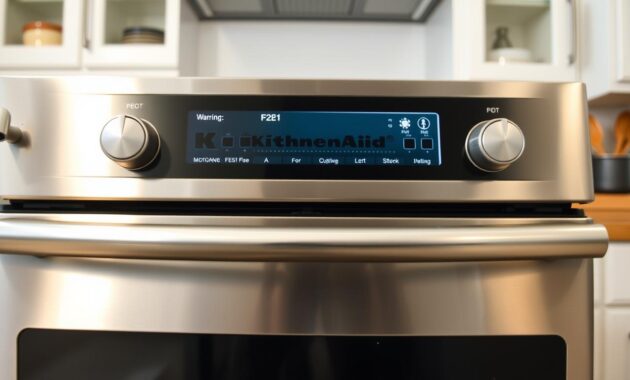
I’ve seen many times when a small button problem can really mess things up. A button that doesn’t go back to its normal spot can send signals to the oven’s control board. It thinks this is a long press, over 120 seconds.
Finding keypad problems needs a close look. Watch for these signs:
- Buttons that feel different when pressed
- Visible debris around button edges
- Buttons that don’t click properly
- Unresponsive or sticky button mechanisms
| Keypad Issue | Potential F2E1 Error Trigger |
|---|---|
| Stuck Button | Continuous Signal to Control Board |
| Debris Accumulation | Intermittent Button Functionality |
| Mechanical Wear | Inconsistent Button Response |
Knowing about these keypad issues can help you figure out and fix the f2e1 error code. You might not need to call a pro.
Loose Ribbon Cable Connection Problems
When your KitchenAid oven shows an F2E1 error code, it might be due to a ribbon cable issue. This thin cable is key for your oven’s communication. It connects the keypad to the control board.
The ribbon cable acts as a messenger between your oven’s keypad and control board. If it’s disrupted, communication fails. This leads to the F2E1 error, which is frustrating.
Understanding the Ribbon Cable Function
The ribbon cable is a vital part of your oven’s electronic system. It works like this:
- It sends electrical signals from keypad presses.
- It connects control panel parts to the main control board.
- It makes sure your button presses are translated into oven actions quickly.
Signs of Cable Corrosion or Damage
Spotting ribbon cable problems needs a sharp eye. Look out for these signs:
- Visible corrosion (greenish or white deposits).
- Physical damage like tears or creases.
- A loose connector that doesn’t fit right.
- Buttons that don’t work sometimes.
Moisture is often the cause of ribbon cable damage. Steam, spills, and humidity can harm it. Checking the ribbon cable means removing the control panel. But, careful homeowners can do it safely.
Control Board Communication Failures
When your f2e0 KitchenAid oven shows an F2E1 error, it could mean a bigger electronic issue. Control board problems are among the toughest behind this error code.
The control board is like the brain of your KitchenAid oven. It handles important tasks, like talking to the kitchenaid temperature sensor. If it goes wrong, it can cause weird error codes that are hard to figure out.
- Power surges can damage sensitive electronic parts
- Prolonged key presses might cause internal communication problems
- Manufacturing defects could lead to signal breaks
Many homeowners face these complex electronic problems. Control board issues often come from several causes:
- Stable electrical systems
- Old components
- Overheating in the oven’s systems
- Manufacturing flaws
While simple fixes can solve many issues, control board failures need special tools and skills. If resets don’t work, it’s time to get a pro appliance repair technician.
DIY Troubleshooting Steps to Fix F2E1
Dealing with the F2E1 error code can be frustrating. But, I’ll guide you through some practical steps you can try at home. These methods might help you fix the issue without needing a professional.
When you’re wondering how to fix error code f2e1, try these strategies. They can save you time and money:
Power Cycling Your Oven
Power cycling is often the first step for electronic issues. Here’s what to do:
- Unplug the oven from the wall outlet
- Or switch off the dedicated circuit breaker
- Wait 1-2 minutes for complete discharge
- Restore power and see if the error code goes away
Cleaning the Control Panel
A dirty or sticky control panel can cause the F2E1 error. Follow these cleaning tips:
- Check buttons for visible debris or stickiness
- Use a dry microfiber cloth for cleaning
- Avoid spraying cleaners on the panel
- Press each button to check for smooth movement
Moisture Inspection
Moisture buildup is a common cause of the F2E1 error. To address this:
- Look for condensation around the control panel
- Let the oven air out in a well-ventilated area
- Wait several hours before reconnecting power
- Check if the error persists after drying
If these DIY steps don’t fix the F2E1 error, it’s time to call a professional. They specialize in KitchenAid oven repairs.
When to Replace the Keypad or Control Panel
Deciding when to replace your KitchenAid oven’s keypad or control board can be tricky. Sometimes, a persistent F2E1 error signals that simple troubleshooting won’t cut it. I’ll help you identify the key signs that indicate a kitchenaid control board replacement might be necessary.
Key indicators that suggest you need a replacement include:
- F2E1 error returns immediately after power cycling
- Error persists even after thorough cleaning and drying
- Visible physical damage to the keypad or control panel
- Buttons are broken or completely unresponsive
In most cases, replacing the keypad resolves the issue without requiring a full control board replacement. The cost difference is significant: keypad replacements typically run between $50-$150, while a complete kitchenaid control board replacement can reach $200-$400.
Before purchasing a replacement, I recommend having your oven’s exact model number ready. Online appliance parts suppliers and manufacturer-authorized dealers can help you find the precise component. Replacement typically involves carefully removing the control panel, disconnecting electrical connections, and swapping the faulty part.
While some DIY enthusiasts might feel confident attempting this repair, it’s vital to recognize when professional help becomes necessary. If you’re unsure about electrical connections or feel uncomfortable with the process, consulting a professional technician is always the safest option.
Professional Repair vs. DIY Solutions
When you see a KitchenAid oven error code F2E1, you might think about fixing it yourself or getting a pro. It’s not always easy to decide. It depends on a few important things.
Getting help from a KitchenAid expert can be a big plus. They have tools and skills that you might not have at home. They can find and fix problems that are hard to spot.
What a Technician Can Diagnose
A pro has special skills for fixing KitchenAid ovens:
- They use advanced tools for checking voltage
- They know a lot about KitchenAid oven problems
- They have access to detailed manuals
- They can check each part of the oven
Cost Considerations for Professional Service
It’s good to know how much a pro might cost. Here are some possible prices:
| Service Component | Estimated Cost Range |
|---|---|
| Initial Service Call | $75 – $150 |
| Diagnostic Labor | $100 – $200 per hour |
| Keypad Replacement | $200 – $500 |
| Control Board Replacement | $400 – $700 |
When choosing between fixing it yourself or getting a pro, think about your skills and time. A pro can give you peace of mind and avoid more damage to your oven.
Preventing Future F2E1 Errors on Your KitchenAid Oven

Dealing with a f2e1 error kitchenaid can be frustrating. I’ve learned some practical strategies to help prevent these pesky control panel issues from recurring in your kitchen appliance.
Protecting your KitchenAid oven’s control panel requires careful maintenance and mindful usage. Here are key prevention techniques to minimize the risk of f2e1 error kitchenaid problems:
- Clean the control panel with a dry microfiber cloth
- Avoid spraying cleaning solutions directly on the panel
- Wipe up spills immediately to prevent moisture infiltration
- Use kitchen exhaust fans during cooking
Moisture management is key to preventing electronic malfunctions. Always keep your hands dry when touching the control panel. When cooking with steam or boiling liquids, ensure proper ventilation to reduce internal moisture buildup.
Gentle operation of your oven’s buttons can significantly extend the control panel’s lifespan. Press buttons firmly but carefully, avoiding excessive force. Regular visual inspections can help you catch any issues before they become major problems.
- Inspect control panel monthly for wear or damage
- Schedule professional maintenance every two years
- Keep oven area clean and well-ventilated
By implementing these simple preventive measures, you’ll minimize the likelihood of encountering frustrating control panel errors. This will keep your KitchenAid oven running smoothly for years to come.
Safety Precautions When Working on Your Oven
Working on kitchen appliances needs careful safety attention. Electrical repairs can be risky if you don’t follow safety steps. I’ll show you how to stay safe while fixing your KitchenAid oven.
Before starting any repair, make sure your environment is safe. Preparation is key to avoid accidents and electrical hazards.
Disconnecting Power Safely
- Locate your home’s electrical panel
- Identify the circuit breaker for the oven
- Switch the breaker to the OFF position
- Use a non-contact voltage tester to confirm no electrical current
- Unplug the oven from the wall outlet if possible
Proper Handling of Electronic Components
Electronic parts need careful handling to avoid damage and ensure safety. Follow these important steps:
- Wear insulated work gloves to protect your hands
- Work in a well-lit, dry area
- Keep children and pets away from your workspace
- Allow the oven to cool completely before starting repairs
| Safety Gear | Purpose |
|---|---|
| Insulated Gloves | Protect from electrical shock and sharp edges |
| Safety Glasses | Shield eyes from debris or possible sparks |
| Non-Contact Voltage Tester | Verify absence of electrical current |
If you’re unsure about any repair step, it’s best to call a professional. Your safety is more important than doing it yourself.
Conclusion
Dealing with a KitchenAid oven F2E1 error code might seem tough, but it’s not a big deal. I’ve shown you the common causes and fixes. Now, you should feel ready to tackle this problem.
Read also: GE Top Load & Front Load Washer Error Codes
Most F2E1 errors come from simple issues like moisture, stuck buttons, or loose connections. Start with basic steps like cleaning the control panel, power cycling, and checking for water damage. Often, these steps can fix the problem without needing expensive repairs.
If you’re not sure about working with electrical parts or the error keeps coming back, get help from a pro. They can quickly and safely find and fix more complex problems.
Knowing about your oven’s error codes helps you make smart repair choices. Whether you fix it yourself or get a pro, you’re now ready to handle the F2E1 error code.