Seeing strange error codes on your Samsung fridge can be frustrating. Those mysterious blinking numbers and letters might make you worry about expensive repairs or spoiled food. But don’t worry – I’ve created a guide to help you understand and fix these issues quickly.
In this guide, I’ll cover the most common issues and explain each code. You’ll learn how to diagnose and fix problems like temperature sensor issues or ice maker malfunctions. You won’t need to call an expensive technician.
Whether you have a new Family Hub model or an older Samsung fridge, this guide will help you. You’ll learn to understand and solve those confusing error messages with confidence.
Understanding Your Samsung Refrigerator Error Codes
Your Samsung refrigerator uses error codes to talk to you. These messages show when something might be wrong. They help you fix problems before they get worse.
Error codes on your Samsung fridge are like a secret language. They show up on the display panel and tell you about your fridge’s health. It’s like having a built-in tool to figure out what’s going on inside.
What Error Codes Mean for Your Fridge
Error codes point to specific problems in your fridge. They can show issues with:
- Temperature sensors
- Cooling systems
- Electrical connections
- Mechanical parts
Why Your Samsung Fridge Displays Error Messages
Samsung fridge error codes serve a few key purposes. They help you:
- Quickly spot possible problems
- Stop food from spoiling
- Save money on repairs
- Keep an eye on your fridge’s health
Seeing an error code on your Samsung fridge doesn’t always mean trouble. Often, these codes point to small issues that are easy to fix.
| Error Code Type | Potential Meaning | Recommended Action |
|---|---|---|
| Sensor Errors | Temperature monitoring issues | Check connections, reset system |
| Electrical Errors | Power supply problems | Verify power connections |
| Mechanical Errors | Component malfunction | Inspect specific components |
Knowing about Samsung fridge error codes helps keep your fridge running well. By watching the error code display, you can quickly fix any issues that come up.
Samsung Fridge Error Codes: Complete List and What They Mean
Dealing with samsung double door fridge error codes can be tough for many. I’ll explain the full list of error codes. This will help you understand what’s wrong with your Samsung fridge and how to fix it.
It’s key to know these error codes to keep your fridge working well. Samsung has a detailed system of codes. They help spot possible problems.
- AP: Access Point Connection Issue
- 21E: Freezer Fan Error
- 22E/22C: Fridge Fan Malfunction
- 41/42: Family Hub Reset Required
- 76: Water Detection in Autofill System
- 85C: Power Outage Warning
If you see these error codes, don’t worry. Most problems can be fixed easily. The error code list I’ve put together will help you find and solve common fridge issues.
Read also: Maytag Front Load Washer Error Codes: Complete List & Fixes
| Error Code | Description | Potential Solution |
|---|---|---|
| 88/83E | Power Voltage Error | Check electrical connection |
| 39E/39C | Ice Maker Problem | Inspect ice maker components |
| 5E | Defrost Sensor Error | Verify sensor functionality |
Keep this error code list nearby for easy access. While some codes need a pro, many can be fixed with a simple reset or basic checks.
Temperature Sensor Error Codes and How to Fix Them
Temperature sensor errors can be frustrating for Samsung refrigerator owners. These issues can affect your appliance’s performance and food safety. It’s important to understand the samsung fridge 24 e error code and other temperature sensor errors for effective troubleshooting.
Temperature sensors are key to keeping your Samsung fridge cool. When they malfunction, they can cause various error codes that need quick attention.
Freezer Room Sensor Errors
The freezer room sensor is usually found in the back upper right of the freezer. Common problems include:
- Sensor separation from housing
- Loose electrical connections
- Physical damage to the sensor
- Short circuit problems
To fix freezer errors, check the connections and look for visible damage on the sensor. Temperatures outside -58°F to 149°F can also cause error notifications.
Fridge Compartment Sensor Issues
The refrigerator compartment sensor is behind the Twin Cool housing. To diagnose, follow these steps:
- Verify electrical connections
- Check for physical sensor damage
- Test sensor resistance with a multimeter
- Assess if a replacement is needed
Some samsung fridge 24 e error code issues can be fixed at home. But complex sensor problems might need a pro. Always check your fridge’s manual or contact Samsung support for help.
Read also : Bosch Dishwasher Error Code E24: How I Fixed Mine
Fan-Related Error Codes in Samsung Refrigerators
Understanding fan error codes can save you time and frustration when troubleshooting your Samsung refrigerator. Fan-related issues are critical because they directly impact your appliance’s cooling performance and efficiency.
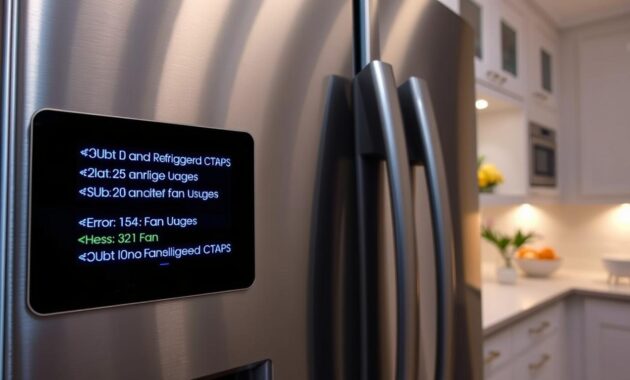
When learning how to clear error codes on a Samsung fridge, fan-related problems are among the most common challenges. The two most frequent fan error codes you might encounter are 21E and 22E.
Freezer Fan Error Code 21E
The 21E error code indicates a freezer fan malfunction. This typically occurs when:
- The freezer fan is blocked or frozen
- The fan motor has stopped working
- Door has been left open for extended periods
Resolving Fan Error Codes
To address fan error codes, I recommend these steps:
- Unplug the refrigerator for 5-10 minutes
- Check the fan blades for any obstructions
- Ensure the fan can rotate freely
- Plug the refrigerator back in
- Listen for normal fan operation
For 22E error codes related to the fridge compartment fan, the troubleshooting process is similar. If the error persists after these steps, it might indicate a more serious mechanical issue requiring professional repair.
Pro tip: Regularly cleaning fan areas and checking door seals can help prevent these fan error codes from occurring in the first place.
Samsung Fridge Error Code 41 and Family Hub Reset Issues
Smart refrigerators like Samsung’s Family Hub can sometimes have technical problems. Error code 41 is one issue that can stop your fridge from working right. Knowing how to fix these error codes can save you time and money.
The Family Hub display is a key part of Samsung’s smart fridges. Error codes 41 and 42 mean you need to reset the system. These codes often show up with a blue light flashing, which means there’s a problem with the display.
Rebooting Your Family Hub Display
To reset your Samsung Family Hub, just follow these steps:
- Find the power switch in the top right corner of the fridge door
- Turn the switch off completely
- Wait about 1-2 minutes
- Turn the switch back on
- Watch the display for any changes
Blue Light Flashing Problems
The blue light flashing on your Samsung fridge usually means there’s a software or connection issue. For 3-Door Family Hub models, error code 41C means you might need a software update. If a simple reset doesn’t fix it, check for firmware updates in the Samsung SmartThings app.
When dealing with Family Hub reset issues, be patient. If resets don’t solve the problem, it’s time to call Samsung support or a certified technician.
Power and Voltage Error Codes Explained
Dealing with power error codes on your Samsung refrigerator can be frustrating. Many homeowners get worried when strange voltage issues show up on their appliance’s display. The good news is that most power-related error codes are easy to understand and fix.
Power error codes usually mean there’s an electrical problem that could harm your refrigerator’s sensitive parts. You might see codes like:
- 85C error: Shows low voltage detection
- 88 error code: Points to power supply interruptions
- 83E and 86E: Signals electrical communication issues
If you see an 85C error, it means your fridge detected a brief power outage. The fix is simple: just press the OK button for three seconds to reset it. For the 88 error code, you’ll need a more detailed solution.
Here are some steps to troubleshoot power error codes:
- Unplug the refrigerator completely
- Wait one full minute to discharge electrical parts
- Plug the refrigerator back in
- Restart the appliance
If you keep getting power error codes, it might mean there’s a bigger electrical problem at home. I suggest using a good surge protector and checking your home’s electrical connections if the issues keep happening.
Ice Maker Error Codes and Troubleshooting Steps
Samsung fridge owners often face ice maker errors. These can really mess up your day. Knowing about these errors can save you time and money.
Ice makers have many parts that can go wrong. My guide will show you how to find and fix common problems with your Samsung fridge’s ice maker.
Ice Bucket Installation Challenges
A blinking “Ice Off” light usually means you have an ice bucket problem. Here’s how to fix it:
- Make sure the ice bucket is aligned right
- Take out and clean the bucket well
- Look for any damage or cracks
- Put the bucket back in the right way
Ice Maker Sensor Diagnostics
Some error codes point to sensor issues in your ice maker:
- 39E error: This might mean the ice maker isn’t working right
- 14E error: It could be a sensor problem
- 33E error: This could be a heater issue
For tricky 39E or 14E errors, you might need a pro. Some fixes you can do at home, but some problems need an expert’s eye.
When to Seek Professional Help
If you can’t fix the ice maker errors yourself, call a Samsung-certified tech. Complex problems or constant errors need a pro’s touch.
Demo Mode and Display Issues on Samsung Fridges
Discovering your Samsung refrigerator isn’t cooling can be frustrating. Demo mode, a setting for showroom displays, is often the cause. It prevents actual cooling and shows error codes like OF OF or O FF.
Demo mode makes your fridge look like it’s working but doesn’t cool. It can happen by accident during setup or after a power outage. Luckily, getting out of demo mode is easy.
- Check for OF OF or scrolling temperature displays
- Identify the control panel on your specific Samsung model
- Locate the top two buttons on either side
To exit demo mode, press and hold the top two buttons for 5-8 seconds. You’ll hear a sound confirming it’s off. If this doesn’t work, check your user manual.
After a power outage, icons might flash. This is normal. Your fridge is just checking its systems.
Pro tip: If unsure if your fridge is in demo mode, check the temperature. A fridge in demo mode won’t cool, which can spoil food if not noticed.
Communication and Connection Error Codes
Samsung refrigerators sometimes face communication errors. These errors can stop your appliance from working right. PC ER and PC CH are specific codes that show connection problems between parts.
- Power surges that mess with connections
- Loose wire harnesses
- Breaks in the electrical system
- Damage to communication modules
To fix PC ER and PC CH errors, follow these steps:
- Unplug the fridge
- Wait a minute to reset it
- Check the wire harnesses above the fridge
- Make sure all connections are tight and not damaged
- Plug it back in and start it up
If problems keep happening, you might need a pro to help. Some errors need special skills to fix.
| Error Code | Potential Cause | Recommended Action |
|---|---|---|
| PC ER | Internal Communication Failure | Reset and Check Connections |
| PC CH | Connection Disruption | Inspect Wire Harness |
To avoid these errors, keep the power steady. Also, get regular maintenance for your Samsung fridge.
Defrost Sensor Errors and Solutions
Defrost sensor errors can be frustrating for Samsung refrigerator owners. The 5E error code shows a problem with your fridge’s defrost sensor system. Knowing about these errors helps you find and fix issues before needing a pro.
Defrost sensors are key to stopping ice buildup in your fridge. They are placed in certain spots in your appliance. The freezer defrost sensor is behind the evaporator cover. The fridge defrost sensor is near the upper right evaporator coils, behind the Twin Cool cover.
- Common causes of defrost sensor errors:
- Physical separation from sensor housing
- Electrical connection problems
- Disconnected wiring
- Short circuit in sensor system
Sensor errors happen when temperature readings are too high or too low. If temperatures go over 149°F (65°C) or below -58°F (-50°C), it means the sensor might not be working right.
| Error Type | Location | Potential Cause |
|---|---|---|
| 5E Error Code | Refrigerator Compartment | Defrost Sensor Malfunction |
| Freezer Defrost Sensor | Behind Evaporator Cover | Temperature Monitoring Failure |
| Fridge Defrost Sensor | Twin Cool Cover Area | Electrical Connection Issues |
Some fixes can be done at home, but complex defrost sensor problems need a pro. You can do simple checks and inspections yourself. But, electrical work should only be done by trained technicians.
When to Call a Professional for Samsung Fridge Repairs
Dealing with Samsung fridge repairs can be challenging. While some issues can be fixed by yourself, others need a pro’s touch.
Some error codes mean you should call a Samsung service expert. These include:
- Persistent error codes after multiple reset attempts
- Error code 84C indicating compressor lock
- Repeated sensor failures in freezer or refrigerator compartments
- Complex ice maker issues requiring part replacement
- Recurring electrical problems
Think about the repair’s complexity and your comfort level before calling a technician. Samsung service pros have the right skills and parts.
| Error Code | Professional Service Requirement | Potential Repair Complexity |
|---|---|---|
| 39E | Ice Maker Replacement | High |
| 39C | Ice Maker Component Repair | Medium |
| 84C | Compressor Diagnostic | Critical |
Before you book a service, check your warranty. Many repairs might be covered, saving you money. Always go to authorized Samsung service centers for the best service.
Conclusion
Dealing with Samsung refrigerator error codes doesn’t have to be hard. This guide has given you the tools you need to fix most problems. You’ll learn that many issues can be solved with simple steps.
You now know how to handle fan issues, power problems, and sensor errors. Keeping your fridge in good shape is the first step. It helps avoid unexpected error messages and keeps your fridge working well.
Knowing about these error codes can save you time and money. Start with simple checks like connections, soft resets, and power supply. Your Samsung fridge might seem complex, but with the right info, you can fix most problems yourself.
I hope this guide helps you deal with refrigerator error codes. Stay ahead, stay informed, and enjoy your Samsung fridge’s reliable performance.