Ever stared at your GE refrigerator’s control panel, puzzled by mysterious blinking green codes? Those intimidating ge refrigerator error codes aren’t just random lights—they’re your appliance’s secret language. Most homeowners panic when these refrigerator error codes appear, thinking the worst about their expensive kitchen companion.
Relax. These ge fridge error codes are actually helpful diagnostic tools designed to pinpoint exactly what’s happening inside your refrigerator. I’ll break down these cryptic messages, helping you understand whether you’re facing a minor glitch or a serious problem that needs professional attention.
Read also: Samsung Fridge Error Codes: Complete List & Troubleshooting Guide
This guide will transform you from a confused owner to a confident troubleshooter, saving you time, money, and unnecessary service calls.
Understanding Your GE Refrigerator’s Diagnostic System
Modern GE refrigerators, like Profile models, have advanced diagnostic systems. These systems watch over your appliance’s parts and performance. They make sure your fridge works well.
The ge fridge diagnostic codes give you quick feedback on issues. If something’s wrong, your fridge tells you through error messages and lights.
How Built-In Diagnostics Work
GE refrigerator display errors are not random lights. They show a smart monitoring system. This system checks many parts of your appliance’s performance.
- Continuous temperature monitoring
- Power supply tracking
- Component functionality checks
- Electrical system diagnostics
What Those Flashing Green Codes Mean
Those ge profile refrigerator error messages are helpful. They signal when a problem is found. You’ll see:
- A flashing green code on the display panel
- An accompanying audible beep
- Replacement of standard temperature readings
Knowing these diagnostic codes can save you time and prevent bigger problems. By watching these signals, you’ll keep your GE refrigerator running at its best.
Most Common GE Refrigerator Error Codes
When your GE refrigerator shows error codes, it can seem like a puzzle. Knowing the ge refrigerator error code list helps you find problems fast. I’ll explain the most common error codes to make fixing your fridge easier.
Understanding ge error codes doesn’t have to be hard. These messages tell you about possible issues before they get worse.
| Error Code | Meaning | Potential Action |
|---|---|---|
| FF | Frozen Food Thawing | Check internal temperature |
| PF | Power Interruption | Reset refrigerator settings |
| CI | Ice Maker Problem | Inspect ice maker functionality |
| DE | Defrost System Issue | Check defrost components |
| CC | Temperature Control Error | Verify temperature settings |
When looking at ge refrigerator error codes, some are more serious than others. Some can be fixed with a simple reset, but others need a pro.
- Always check your refrigerator’s manual first
- Note the specific error code displayed
- Determine if it’s a minor issue you can fix
- Contact a professional for complex errors
Remember, these error codes are your fridge’s way of telling you about problems. By understanding them, you can stop small issues from becoming big, expensive repairs.
Decoding the tF and tC Codes: Not Actually Errors
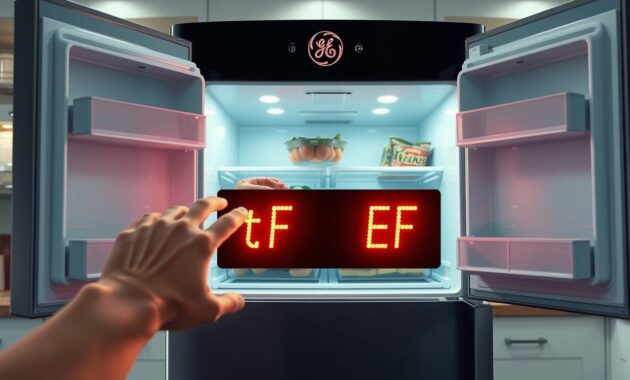
Seeing a ge fridge code tf on your fridge? Don’t worry! Many GE fridge owners think these codes mean trouble. But, they’re actually just showing you special features, not errors.
GE fridges have cool features that might look like error codes. The ge refrigerator error code ef might seem scary. But, it usually means your fridge is using special cooling modes.
What Turbo Freeze (tF) Really Means
Turbo Freeze is a fast cooling feature for freezing food quickly. When it’s on, it:
- Uses the compressor at full power
- Quickly lowers freezer temperatures
- Keeps food fresh and good quality
The tF code just means Turbo Freeze is working. It turns off after 24 hours to save energy.
Understanding Turbo Cool (tC) Mode
Turbo Cool is like Turbo Freeze but for the fridge compartment. It’s great when:
- You’ve got a lot of groceries
- The fridge door is open for a long time
- You need to cool new items fast
The tC code shows Turbo Cool is on. Like Turbo Freeze, it stops after a while to save energy.
Critical Error Codes That Need My Immediate Attention
Some GE refrigerator error codes require quick action to keep your food and appliance safe. Knowing these codes can prevent food spoilage and expensive repairs.
Refrigerator problems can get worse fast. It’s important to know how to handle warning signs to keep your appliance working well and avoid food waste.
The FF Code: Frozen Food Thawing Alert
The FF code warns of a serious temperature issue in your freezer. It means your frozen food might thaw, which is unsafe. Here’s what to do:
- Check that refrigerator and freezer doors are completely closed
- Inspect door gaskets for any damage or wear
- Verify there hasn’t been a recent power interruption
- Press the System Check button to clear the error code
The dE Code: Defrost System Failure
A dE code shows your refrigerator’s defrost system isn’t working right. This can cause frost buildup and cooling issues. Here’s how to fix it:
- Unplug the refrigerator and check for loose defrost system wires
- Inspect the wire harness for any visible damage
- Consider replacing the defrost heater if necessary
- Reset the code by pressing the System Check button
In cold places below 55°F, the dE code might not be real. Always watch your refrigerator’s performance. If problems keep happening, call a professional.
Power-Related Error Codes: PF and 88/89
When you see ge profile refrigerator error codes, power problems are often the cause. These issues can stop your fridge from working right. Knowing about these codes can help you fix problems fast and avoid extra service calls.
The PF code means your fridge lost power. This could be due to a short outage or electrical problem. If you see this code, here’s what to do:
- Check other household appliances for power status
- Inspect refrigerated food for possible thawing
- Watch for when the fridge goes back to normal
Codes 88 and 89 point to power surges or electrical issues. They mean your control board might have had an electrical problem. To fix this, follow a simple reset:
- Unplug the refrigerator
- Wait 5 minutes
- Plug it back in
If these codes keep showing up after resetting, you might need a pro to check it. Using surge protectors can help avoid future electrical problems. They also keep your fridge’s sensitive parts safe.
Temperature Control Issues: CC Error Code Explained
When my GE French door refrigerator shows the CC error code, I know something’s off. This error means the fridge’s temperature control system isn’t working right. It’s important to understand this code to avoid spoiled food and costly fixes.
The CC error code usually means the freezer’s temperature has been too high for over 120 minutes. This isn’t just a small problem. It’s a big issue with the fridge’s temperature control that needs quick action.
Why My Freezer Temperature Is Too Warm
Several things can cause the CC error code in my fridge:
- Doors left slightly open
- Blocked air circulation vents
- Failing door gaskets
- Frequent door opening
- Overloaded refrigerator compartments
Adjusting Controls to Fix the Problem
To fix the CC error code, I’ll take these steps:
- Make sure both doors close fully
- Check door gaskets for wear or damage
- Do the dollar bill test to check seals
- Clear any blockages in air vents
- Press the System Check button to reset the error
If these steps don’t work, I might need a pro who knows GE fridge repairs.
Ice Maker Problems: The CI Error Code
When my GE side by side refrigerator shows the CI error code, it means there’s a problem with the ice maker. This error code needs quick attention to keep my fridge making ice.
The CI error usually points to a few common ice maker issues. Here are the main reasons and fixes:
- Check for ice cube jams in the ice mold
- Verify the water supply connection
- Inspect the ice maker’s mechanical components
- Examine the water inlet valve
Here are the steps to fix the CI error code:
- Clear any visible ice blockages in the ice maker
- Confirm the water supply valve is fully open
- Ensure no kinks exist in the water supply line
- Press the System Check button to reset
| Potential Cause | Recommended Action |
|---|---|
| Ice Blockage | Remove manually, clear ice mold |
| Water Supply Issue | Check valve, inspect water line |
| Persistent Error | Replace ice maker assembly |
If the CI error keeps coming back, it’s time to call a pro. Dealing with ongoing errors might mean a bigger problem that needs a technician’s help.
How to Reset and Clear Error Codes on My GE Refrigerator
Dealing with error codes on your GE refrigerator can be frustrating. Knowing how to clear error codes quickly can save you time and money. I’ll show you the best ways to reset and clear error codes on your appliance.
Read also: OE Error Code LG Washer
Using the System Check Button
The System Check button is your first step when facing error codes. It’s found on the control panel and can fix many issues quickly. Here’s how to use it:
- Locate the System Check button on your refrigerator’s control panel
- Press and hold the button for 3-5 seconds
- Watch for the error code to disappear
If the error code comes back right away, it means you have a bigger problem. You’ll need to dig deeper to find out how to reset the error code on your GE refrigerator.
When Unplugging Can Help
At times, a full power reset is needed to clear error codes. Here are some situations where unplugging can help:
- For 88/89 power surge codes: Unplug for exactly 5 minutes
- For DE (Demo mode) codes: Unplug for 1-2 minutes
- General control panel reset: Disconnect power briefly
Important warning: Always write down the error code before unplugging. Turning off the power will erase the diagnostic info. This could be important if you need professional help later.
When I Need Professional Repair Service
Dealing with GE refrigerator error codes can be challenging. Some problems need a simple reset or adjustment. But, others require a professional’s help. Knowing when to call a technician is key to keeping your fridge working right and avoiding damage.
Some error codes point to complex issues that are beyond simple fixes. My GE refrigerator error codes manual tells me when to call a pro:
- Error codes that keep coming back after resets
- Complex codes like E2 (main control board failure)
- HRS code showing the fridge is stuck in defrost mode
- DF code indicating defrost circuit problems
When I call for service, I have these important details ready:
- Refrigerator model number
- Serial number
- Exact error code shown
- Any issues I’ve noticed
Trying to fix complex fridge problems without the right knowledge can be risky. It might void my warranty or cause more harm. Professional technicians have the tools and know-how to fix these issues fast and safely.
Looking at my GE refrigerator error codes manual before calling helps a lot. It makes talking to the technician easier. This can lead to quicker fixes and less hassle for me.
Conclusion
Dealing with GE refrigerator error codes isn’t scary. These codes are like messages from your fridge about possible problems. Some, like tF and tC, are just special modes. But others, like FF and dE, mean you should take action.
It’s important to stay calm and know what to do. Keep your owner’s manual nearby and jot down any error codes. Most problems can be fixed with simple steps, like using the System Check button or unplugging it briefly. But, if codes keep showing up, it might be time to call a pro.
Learning about these error codes helps you take care of your fridge. This knowledge can save you time, keep your food fresh, and prevent expensive repairs. Think of this guide as your trusted resource for any fridge code issues.
Being proactive about your fridge’s health is the smartest move. With patience and the right info, you can handle most fridge problems on your own.