Are you staring at your GE washer in frustration, wondering what those mysterious error codes mean? Don’t panic! GE washer error codes are actually helpful diagnostic tools. They can save you time and money on repairs. I’ll guide you through understanding these cryptic messages that your appliance is trying to communicate.
Whether you have a top-load or front-load model, ge washer error codes can seem intimidating at first. But these ge appliance error codes are really just your washer’s way of telling you exactly what’s going wrong.
From simple fixes you can do yourself to knowing when to call a professional, I’m here to help you decode and resolve these technical messages.
Understanding Your GE Washer’s Error Code System
GE washers have smart systems to find problems quickly. They don’t just stop working; they show error codes. These codes help you fix issues fast and save money.
How GE Washers Communicate Problems
Error codes are how your washer talks about problems. They show up in different ways, based on your model. When you’re fixing your washer, you’ll see several ways it communicates:
- Digital display panels showing alphanumeric codes
- Blinking LED light patterns
- Combination of motor assembly and control panel indicators
Different Display Methods for Top Load vs Front Load Models
GE washers have changed how they show error codes over time. Older top load models used simple LED flashes. But newer models have full digital displays.
Front load washers usually have digital displays that work the same way. Knowing your model and when it was made helps you understand its error codes. This way, you can often fix problems yourself without needing a repair service.
GE Washer Error Codes: Complete List and Meanings
Understanding ge washer fault codes can seem like a puzzle. I’m here to guide you through those confusing ge washing machine error symbols. These codes are your washer’s way of telling you about possible problems.
- LOC/LC: Control lock activated – prevents accidental settings changes
- dET: Detergent cartridge problem – check your detergent dispensing system
- Int: Cycle paused – something interrupted your washing cycle
- rL/F34: Items detected during clean washer cycle
- Sud/Sd: Excessive suds detected
Some more technical ge washer fault codes include:
- F5 E2: Door lock malfunction
- F7 E1: Motor speed sensing error
- F8 E1/LO FL: Low water flow problem
- F8 E2: Dispenser system issue
- F9 E1: Drain timing problem
Don’t worry when you see these codes. Most are easy fixes you can do yourself. I’ll explain what each code means and how to fix it in the next sections.
Read also: How to Fix LG Refrigerator Error Codes
Early GE Hydro Wave Top Load Error Codes
If you have an older GE Hydro Wave top load washer from the early 2000s, knowing how it reports errors can save you time. These classic washers use ge washer flashing lights on the motor assembly to show problems. At first, it might seem confusing, but it actually gives you exact details about what’s wrong.
Decoding LED Flash Patterns on Motor Assembly
The LED light on your washer’s motor assembly is like a secret code. Each flash pattern means a specific issue, flashing every 6 seconds. I’ll teach you how to read these signals.
- Locate the LED on the motor/inverter assembly
- Count the number of flashes carefully
- Watch the pattern repeat every 6 seconds
Common Motor and Belt Diagnostic Codes
Knowing how to read ge washer flashing lights can help avoid costly repairs. Here’s a detailed list of common error codes for early Hydro Wave models:
| Flash Count | Error Description | Potential Action |
|---|---|---|
| 1 Flash | Tub stopping delay | Check drive system |
| 2 Flashes | Belt slipping | Inspect and replace belt |
| 6 Flashes | Motor locked | Motor may need replacement |
| 8 Flashes | Motor overheating | Check ventilation, motor condition |
Models like WCRE6270K, WHRE5550K, and WJRE5500K from the early 2000s use this system. By knowing these flash patterns, you can quickly find and fix problems without a pricey service call.
Modern GE Top Load Washer Error Codes
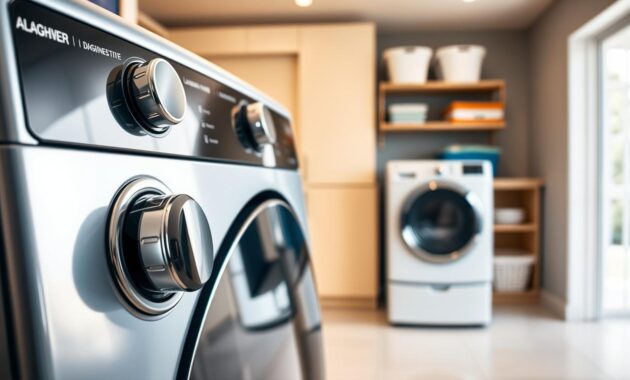
Understanding the ge washer diagnostic mode can seem like solving a puzzle. GE has changed how top-loading washers show problems inside. I’ll show you how to access these hidden systems, saving you time and money on fixes.
To get into the ge washer diagnostic mode on newer models, follow these steps:
- Press and hold the Start/Pause button
- Rotate the control knob exactly 180 degrees (about 8 clicks)
- Release the Start/Pause button
- Watch for all LEDs to light up
GE washer models from 2006 to 2018 have some differences in their diagnostic steps. Models like GTWS8650DWS, GTWN8450DWS, and GTW330ASK_WW have similar ways to diagnose. But, always check your model’s manual for the exact steps.
The diagnostic mode does more than just show error codes. It lets you run tests to find the exact problem. My advice? Keep your model’s manual close. Each turn of the control knob shows different info, helping you figure out what’s wrong.
These modern GE washers are made to be easy to use. If a test fails, the washer won’t let you continue. This tells you exactly where to start fixing the issue.
GE Front Load Washer Error Codes and Diagnostics
GE front load washers are known for their efficiency and easy-to-use diagnostic systems. They differ from top loaders in how they show error codes. If you’re wondering how to check error code on a GE stackable washer, you’re in the right place.
Front load washers started using digital error codes in the early 2000s. This makes it easier for homeowners to troubleshoot. These machines usually report errors in a consistent way, making diagnosis simpler.
Accessing Error Code Mode on Front Loaders
To access error code mode on your GE front load washer, follow these simple steps:
- Locate the start/pause button on your washer’s control panel
- Press and hold the button for exactly 10 seconds
- Watch for the screen to light up
- Release the button when the first error code appears
Read also: How to Troubleshoot Whirlpool Front Load Washer Error Codes
Model-Specific Code Variations
While most GE front load washers have similar error code systems, some models have slight differences. Models from 2005-2017 might show error codes differently. Look for “FW” in your model number to confirm it’s a front load washer.
Here are some model series to help you identify your specific washer:
- WBVH6240 series (2005)
- WCVH6260 series (2005)
- PFWS models (2011)
- GFWS and GFWN models (2016)
- GFW450SSM series (2017)
By understanding how to check error codes on your GE stackable washer, you can quickly diagnose and potentially resolve minor issues without calling a technician.
Most Common GE Washer Error Codes You’ll Encounter
Dealing with a ge washer beeping can be frustrating. But, most error codes are easy to solve. I’ve helped many homeowners fix their appliances. Knowing these codes can save you time and money.
Let’s look at the most common error codes for your GE washer:
- Sud or Sd Code: This means there’s too much suds in your wash cycle. It happens when you use too much detergent or non-HE soap. The washer extends rinse time to clear the suds.
- F9 E1 Code: This code shows a drainage problem. It means your washer can’t drain water in 8 minutes. Check your drain hose for blockages or kinks.
- F8 E1/LO FL Code: This code means low water flow. It’s often caused by closed water valves or kinked supply hoses.
- Fault Code 353 GE Profile: This specific error on GE Profile models might mean a control board or sensor issue.
When your GE washer starts beeping, don’t panic. Most codes are simple fixes you can do yourself. For the fault code 353 ge profile, check your water connections. Make sure all hoses are properly connected.
Remember, your washer’s error codes are its way of telling you about problems. By understanding these signals, you can quickly find and fix most issues. This keeps your appliance running smoothly.
How to Reset Your GE Washer and Clear Error Codes
Dealing with a malfunctioning washer can be frustrating. But, learning how to reset a GE washer is often the quickest way to resolve minor technical issues. Most error codes are temporary glitches that can be cleared with a simple reset process.
I’ll guide you through the most effective methods to perform a ge washer reset for both top load and front load models. These techniques can help you clear error codes and potentially save you an expensive service call.
Step-by-Step Reset for Top Load Washers
Resetting a top load GE washer is straightforward. Here are two reliable methods:
- Button Reset Method:
- Press the pause or cancel button twice
- Press the power button once
- Wait for the washer to restart
- Power Cord Reset Method:
- Unplug the washer from the wall outlet
- Wait at least one full minute
- Plug the washer back in
- Run a test cycle
Resetting Front Load Washers
The ge front load washer reset process is nearly identical to top load models. The key steps remain the same: use either the button combination or the power disconnect method. Remember that a reset only clears temporary electronic issues.
Pro tip: If the error code returns immediately after resetting, this indicates a more serious mechanical problem that requires professional diagnosis.
Troubleshooting Sud or Sd Error Code
Seeing the Sud or Sd error code on your GE washer? Don’t worry. It means there’s too much soap in your machine. This can mess up the wash cycle. But, your washer is actually protecting your clothes and itself by dealing with this problem.
- Using non-HE (High Efficiency) detergent in an HE washer
- Adding too much detergent to the wash
- Using liquid bleach with thickening agents
- Potential drainage system restrictions
What happens when you see this error? Your washer extends the rinse cycle and pauses the tumbling. It also adds more water to dissolve the suds. This might happen a few times, making the cycle longer. But, it ensures your clothes are clean without any soap left behind.
To fix the Sud or Sd error, try these simple steps:
- Switch to HE-specific detergent
- Use the lowest recommended detergent amount
- Check your drain hose for kinks or clogs
- Run an empty hot water cycle with white vinegar to clear detergent buildup
Remember, with modern HE washers, using less detergent is better. If the problem keeps happening, it’s time to call a professional appliance repair technician.
Fixing Drain and Water Flow Error Codes
Water flow problems can be frustrating when trying to clear GE washer error codes. I’ll walk you through the most common drain and water flow issues that might interrupt your laundry routine.
When learning how to clear GE washer error codes related to water flow, you’ll want to focus on two primary error codes: F9 E1 and LO FL. These codes typically indicate drainage or water supply problems that you can often resolve without professional help.
Resolving F9 E1 Drain Time Error
The F9 E1 error suggests your washer is taking longer than 8 minutes to drain. Here are key steps to diagnose and fix the issue:
- Check drain hose for kinks or bends
- Inspect the drain hose for possible blockages
- Ensure proper U-shaped drain hose installation
- Verify standpipe height between 39-96 inches
- Reduce excessive detergent to prevent suds buildup
Understanding LO FL Water Flow Errors
The LO FL code indicates insufficient water entering your washer. Follow these troubleshooting steps:
- Confirm both hot and cold water supply valves are fully open
- Examine inlet hoses for possible kinks
- Check inlet valve mesh screens for debris
- Inspect anti-flood devices for water flow restrictions
| Error Code | Meaning | Primary Troubleshooting Steps |
|---|---|---|
| F9 E1 | Drainage Delay | Check hose, reduce suds, verify installation |
| LO FL | Low Water Flow | Open valves, check hoses, clear screens |
By systematically working through these steps, you can often resolve water flow issues and clear GE washer error codes without calling a technician.
When to Call a Professional for GE Washer Repairs
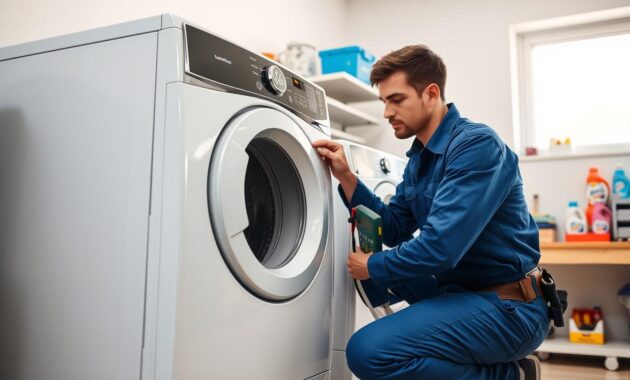
As a homeowner, I know the urge to fix things myself. But, some problems need a pro’s touch for your GE washer. Issues that are too complex for DIY fixes require special skills.
Here are clear signs you need professional help:
- Persistent error codes that don’t clear after multiple reset attempts
- Unusual noises like grinding, squealing, or banging sounds
- Visible water leaks around or underneath the washer
- Error codes related to motor, control board, or sensor failures
- Burning smells or electrical issues
Professional technicians offer big advantages. They use special tools, genuine GE parts, and detailed manuals. Trying to fix complex problems yourself can void your warranty or damage your appliance.
Before you call for service, check your warranty. Many new washers have warranty coverage for component failures. When you call a repair service, ask for a detailed diagnosis and parts list. This ensures you know what you’re getting.
Protecting your investment means knowing when to call an expert. A pro can solve problems fast, saving you hours of trouble.
Conclusion
Understanding GE washer error codes is easier than you think. I’ve explained how to read these signals on various washer models. Now, you can fix most issues with your washing machine.
Error codes are like a guide from your washer. They help you find problems fast. Whether it’s a Sud code or a drainage issue, you’re ready to solve many problems. Simple steps like resets and choosing the right detergent can save you a lot.
While fixing things yourself is great, don’t hesitate to call a pro for tough problems. Knowing about GE washer error codes helps you talk better with repair techs. This can cut down on time and cost for repairs.
Laundry day is now less stressful. With this knowledge, you can handle any error code that comes up. You’ll keep your GE washer working well and efficiently.