Ever had a Generac generator error code 2800 pop up unexpectedly? It’s a common issue many face. This error might seem scary, but it’s often easy to fix. I’ve dealt with it myself and found that most times, you can solve it without needing a professional.
The alarm for auxiliary shutdown might seem complicated. But usually, it’s just a matter of a wrong switch setting. Most people can figure it out and fix it themselves. This saves both time and money. Learning what causes the error is key to getting your generator working again and keeping your home safe during power outages.
What Is Generac Generator Error Code 2800
When your Generac generator shows error code 2800, it’s a sign of a safety feature. This error code, also known as e2800 or Auxiliary Shutdown alarm, is a protective mechanism. It gives you control over your generator’s operation.
Error code 2800 isn’t usually a sign of a big problem. It’s more like an emergency stop button. It stops the generator from running when it might be dangerous.
Understanding the Auxiliary Shutdown Alarm
Every Generac generator has an auxiliary shutdown switch. It’s a key safety feature. This switch lets you stop the generator from outside, preventing it from running.
- Located on the exterior back panel
- Provides an emergency shutdown mechanism
- Prevents unauthorized or unsafe generator operation
How Error Code 2800 Appears on Your System
When the auxiliary shutdown switch is triggered, you’ll see several signs. The control panel lights up a red LED alarm light. It shows “Error Code 2800” and “Auxiliary Shutdown” messages. Your Mobile Link app might also show these alerts, telling you to check the switch.
Knowing about error code 2800 on a Generac generator helps you fix issues fast. This ensures your generator is always ready to provide backup power.
Recognizing Error Code 2800 in the Mobile Link App
When my Generac generator showed error code 2800, the Mobile Link app was the first to alert me. This digital system was super helpful in spotting issues with my backup power.
The Mobile Link app makes it easy to check on your generator. Seeing error code 2800, I noticed a few important things:
- A clear error message with the code 2800
- A Status History page with shutdown details
- A suggestion for service
Even though the app suggested service, I found that error code 2800 was usually just a simple switch issue. The app’s alert let me fix the problem early, avoiding big power losses.
The app’s interface clearly showed the error and the generator’s status. At first, it seemed scary, but knowing what error code 2800 meant helped me stay calm and act fast.
Using the Mobile Link app has many benefits. It lets you monitor your Generac generator in real-time and get alerts right away. This keeps you informed about your generator’s status.
What Causes Generac Error Code 2800
Understanding error code 2800 on Generac generators can help fix shutdowns fast. This error is mainly caused by a safety feature in your generator.
Read also: LE Error Code LG Washer
The main reason for error code 2800 is the auxiliary shutdown switch. This safety feature stops the generator in an emergency. If the switch is flipped to OPEN (O), the generator won’t start and will sound an alarm.
The Role of the Auxiliary Shutdown Switch
Generators have a two-position switch for quick stops. It has two important positions:
- OPEN (O): Stops the generator right away
- CLOSED (|): Lets the generator run normally
Common Scenarios That Trigger the Error
I’ve seen many ways the switch can get flipped by accident. Some common scenarios include:
- Children playing near the generator
- Yard work and landscaping activities
- Bouncing balls or toys hitting the switch
- Strong winds blowing debris
- Accidental bumps during outdoor maintenance
What surprises many is how easy it is to flip this switch. It only needs a little pressure, making it easy to accidentally activate. Knowing this can help avoid error code 2800 on Generac generators.
Locating the Auxiliary Shutdown Switch on Your Generator
When you face a Generac generator 2800 error code, finding the auxiliary shutdown switch is key. Generac generators have at least one of these switches. They are usually found on the exterior back panel.
Look for a small rocker switch with “O” and “|” symbols. The exact spot might vary, but it’s mostly the same across models:
- 22kW models: Switch located in the top-left corner of the back panel
- 16kW and larger models: Two auxiliary shutdown switches exist
- Exterior switch on the back panel
- Interior switch near the control panel
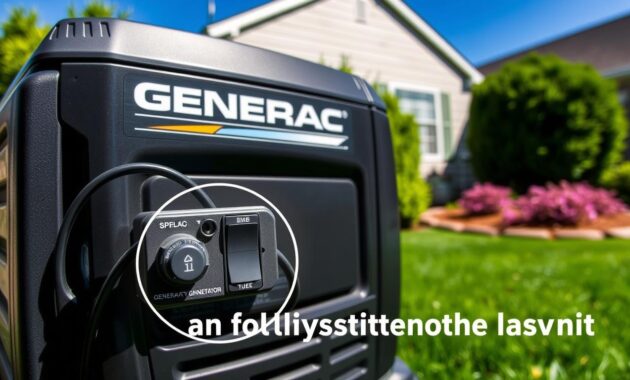
Start with the exterior switch. It’s more likely to get bumped or tripped, causing the Generac generator 2800 error code. The exterior switch is simpler to get to and reset than the interior switch. The interior switch requires opening the generator’s locked cover.
| Generator Size | Switch Location | Accessibility |
|---|---|---|
| 22kW | Top-left back panel | Easy external access |
| 16kW and larger | External and internal switches | External switch easier to reset |
Be careful when you approach the switch. Make sure you know what you’re doing before trying to reset the Generac generator 2800 error code.
Quick Fix for Generac 2800 Error Solution
Dealing with a Generac generator error code 2800 can be frustrating. But, I’m here to help you solve this problem quickly and easily. Most 2800 error codes can be fixed with a simple reset. This reset doesn’t need advanced technical skills.
Resetting a Generac generator error code 2800 is easy. It involves a few simple steps that any homeowner can do. Let’s go through the steps to fix the generac 2800 error solution.
Resetting the Exterior Auxiliary Shutdown Switch
The most common cause of error code 2800 is an improperly positioned auxiliary shutdown switch. Here’s how to reset it:
- Locate the auxiliary shutdown switch on the back of your generator
- Check the current switch position carefully
- Ensure the switch is set to the CLOSED (|) position
- Press down firmly on the CLOSED side until it clicks
Checking the Interior Switch on Larger Models
For generators 16kW and larger, you’ll need to take an extra step. Here’s what to do:
- Carefully open the generator’s control panel cover
- Locate the interior auxiliary shutdown switch
- Verify the switch is in the correct position
- Close the panel securely after checking
After these steps, clear the alarm from your control panel. Press OFF, then ENTER, and then AUTO. This should fix the generac generator code 2800 easily.
If these steps don’t work, it might be time to call a professional. A generator technician can do more detailed troubleshooting.
Clearing the Alarm from Your Control Panel
When you see error code 2800, just fixing the auxiliary shutdown switch isn’t enough. You must clear the alarm from your generator’s control panel. This makes sure your generator works fully again and stops future problems.
- Press the red “OFF” button first (this stops current generator operations)
- Press the gray “ENTER” button (this acknowledges the alarm in the system)
- Press the green “AUTO” button (this returns the generator to automatic standby mode)
After these steps, your control panel should show a green light next to the AUTO indicator. This means your generator has reset and is ready for power outages.
The green AUTO mode is key. It lets your generator start automatically when power goes out and keeps it running as needed. Missing any of these steps might keep error code 2800 active. This could stop your generator from working right when you need it most.
Make sure the auxiliary shutdown switches are in the CLOSED (|) position before you reset. This checks if any other issues are causing error code 2800.
Testing Your Generator After Fixing Error Code 2800
After fixing the Generac 2800 error, it’s important to check if your generator works. A quick test can give you peace of mind. It makes sure your backup power system is ready when you need it.
Performing a Manual Mode Verification
When fixing the Generac 2800 error, I suggest doing a manual test. This test confirms your generator works right. It shows your troubleshooting was successful.
- Locate the control panel on your Generac generator
- Press the blue MANUAL button to start manual mode
- Look for the blue LED light showing manual operation
- Listen for a smooth engine start and normal sounds
During the troubleshooting process, the manual mode test is key. Let the generator run for one to two minutes. Watch its performance closely. Listen for any odd noises or unexpected actions that might mean there’s a problem.
Returning to Automatic Operation
After the test, press the green AUTO button to switch back to automatic mode. This makes sure your generator is ready to turn on automatically during power outages.
Remember, a quick manual test can prevent big problems during a power outage. By checking your generator’s function after fixing the 2800 error, you’ll feel more confident in your backup power system.
Preventing Future Occurrences of Error Code 2800
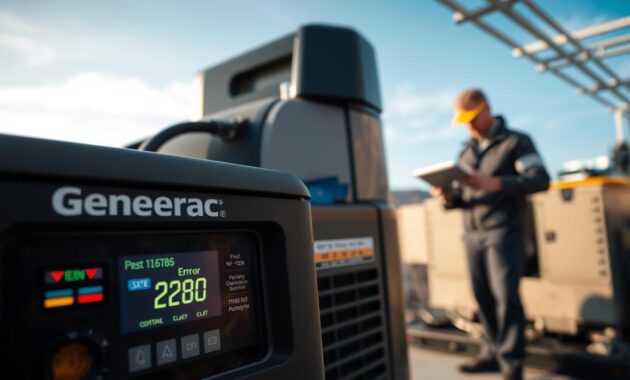
After you’ve done a generac 2800 fault diagnostic, stopping future error codes is key. The exterior auxiliary shutdown switch is very sensitive. This makes it easy to accidentally turn it on.
I’ve found some important ways to prevent this during my generator maintenance:
- Create a clear safety zone around your generator
- Educate family members about the switch location
- Mark the auxiliary shutdown switch area with visible warning signs
- Minimize yard work activities near the generator
Things like kids playing, yard work, and landscaping can easily hit the switch. It’s smart to check the generator often and teach everyone about the generac 2800 fault diagnostic.
Here are some steps to protect your generator:
- Install a protective barrier around the switch
- Use caution during outdoor maintenance
- Periodically check switch position during routine generator maintenance
While you can’t stop it completely, being careful and aware can help a lot. This can lower the chance of accidentally turning off your generator.
When to Call a Professional for Generac Error Code 1505 and Related Issues
Some generator problems are easy to fix, but others need a pro. Generac code 1505 and other complex errors often mean deeper issues. These need special care.
Knowing when to call a pro is key to keeping your generator running well. Generac error code 1505 usually means serious problems that can’t be fixed by just anyone.
Read also: Generac Error Code 1505
Signs You Need Professional Generator Service
- Persistent error codes after basic troubleshooting
- Visible wiring damage or corrosion
- Auxiliary shutdown switches in CLOSED position with ongoing errors
- Unusual generator sounds or performance irregularities
- Multiple recurring error codes
When you call a pro, have this info ready:
| Documentation Needed | Details to Provide |
|---|---|
| Generator Model Number | Located on generator nameplate |
| Serial Number | Unique identifier for your unit |
| Error Codes | Specific codes like generac code 1505 |
| Observed Symptoms | Specific performance issues |
Certified Generac techs have the right tools to fix complex problems. Trying to fix it yourself can void your warranty and cause more harm.
Use Generac’s official dealer locator to find a qualified service pro near you. Getting a pro to check it out can save you time and money.
Conclusion
Dealing with a Generac generator Error Code 2800 might seem scary at first. But, it’s usually a simple fix that homeowners can do quickly. The main problem is often the auxiliary shutdown switch. Resetting it can get your generator working again in just a few minutes.
I’ve learned that knowing your generator’s basics can save you time and stress. It can also prevent expensive service calls. By following the steps we’ve outlined, you can handle this common issue with confidence. This keeps your home powered during unexpected outages.
If this guide was helpful, I’d love to hear about your experience. Did the steps work for your specific generator model? Are there other Generac generator issues you’re facing? Feel free to share your thoughts and questions. Helping fellow generator owners is what this guide is all about.
Remember, generator maintenance doesn’t have to be intimidating. With the right knowledge and a bit of confidence, you can tackle most common problems. This ensures your backup power system is always ready when you need it most.