Are you looking at error codes on your Samsung fridge and feeling stuck? You’re not alone. These codes can make a simple problem feel overwhelming. Let’s figure out how to clear these codes together.
Clearing error codes on your Samsung fridge is easier than you think. Most codes are just signals that need a simple fix. This guide will show you how to handle E1 codes and other symbols on your fridge.
We’ll cover common errors like temperature issues and communication problems. I’ll share easy fixes to save you time and money. Soon, you’ll be a pro at fixing those fridge error codes!
Read also: Samsung Fridge Error Codes: Complete List & Troubleshooting Guide
Understanding Samsung Refrigerator Error Codes and What They Mean
Your Samsung refrigerator has a smart system to help find problems. Error codes are like secret messages from your fridge. They give you key insights into how it’s working.
Modern fridges use advanced tech to check their systems. These symbols are like early alerts. They warn you of issues before they get worse.
What Are Error Codes and Why Do They Appear
Error codes are messages from your fridge’s computer. They have several key roles:
- They spot specific mechanical or electrical issues
- They give techs the info they need
- They help users understand fridge problems
- They prevent long-term damage to the fridge
Common Error Code Formats on Samsung Refrigerators
Samsung uses special error code formats to show different problems. Knowing these symbols helps you quickly understand what’s going on with your fridge.
| Code Format | Typical Meaning |
|---|---|
| 22E | Temperature-related issue |
| 33E | Sensor malfunction |
| 5E | Defrost system problem |
| 88 88 | Communication or control panel error |
By learning to read these codes, you can keep your fridge running well. This might even save you from expensive fixes.
Decoding the E1 Error Code on Your Samsung Fridge
Seeing the E1 error code on your Samsung fridge means it’s time to figure out what’s going on. This error shows a problem with how your fridge talks to its temperature sensor.
Read also: GE Top Load & Front Load Washer Error Codes
The E1 error code points to three main problems:
- A faulty temperature sensor sending wrong signals
- Bad or loose electrical wiring connections
- A malfunctioning control board that can’t handle sensor info
Your fridge needs to talk well to its parts to cool properly. If you see the E1 error, your fridge might not cool right or might run too much.
To fix the E1 error, start with these easy steps:
- Check all sensor wire connections
- Do a power reset by unplugging it for 5 minutes
- Look for any damage on the temperature sensor
Some fixes are easy, but others might need a pro. If simple steps don’t work, call a Samsung-certified tech to help.
Most Common Samsung Refrigerator Error Codes You’ll Encounter
Dealing with error codes on your Samsung refrigerator can be frustrating. I’ll help you understand the most common issues. These codes are like secret messages from your fridge, telling you exactly what’s going wrong.
Samsung refrigerators use specific error codes to communicate problems. Knowing these codes can save you time and money on repairs.
Temperature-Related Error Codes
The 22e error code samsung refrigerator owners frequently encounter typically signals an issue with the evaporator fan motor. This can cause serious cooling problems in your appliance. When you see the 33 e samsung refrigerator code, it often indicates temperature regulation challenges.
- 22E: Evaporator fan motor malfunction
- 33E: Temperature sensor or control board issues
- Potential symptoms include inconsistent cooling
- May require professional diagnostic testing
Defrost System Errors
Defrost system problems can seriously impact your refrigerator’s performance. The 5E error code points to specific issues within the defrost cycle that prevent proper ice buildup prevention.
| Error Code | Potential Issue | Recommended Action |
|---|---|---|
| 5E | Defrost system malfunction | Check defrost heater and sensors |
Communication Errors
The samsung refrigerator pc er code is a communication nightmare. This typically indicates a breakdown between the main control board and display panel. When you see 88 88 with flashing lines, your refrigerator is running a diagnostic test.
- PC ER: Control board communication failure
- 88 88: Diagnostic system alert
- Flashing lines indicate specific communication issues
Remember, while these codes might seem intimidating, they’re actually helpful diagnostic tools. Understanding them can help you determine whether you need a simple reset or professional repair.
How to Clear Samsung Refrigerator Error Codes
Dealing with error codes on your Samsung refrigerator can be frustrating. But, most issues can be fixed with simple steps. Learning to clear these codes doesn’t need advanced skills. I’ll show you how to diagnose and possibly fix these display warnings.
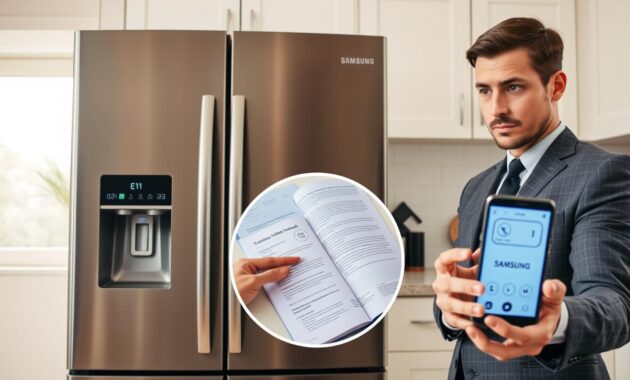
The first step to clear Samsung refrigerator error codes is the power reset. This method works for many temporary problems:
- Unplug the refrigerator from the electrical outlet
- Wait 5-10 minutes to completely discharge the system
- Plug the refrigerator back in
- Check if the error code has disappeared
If the power reset doesn’t work, you need to dig deeper. Check your user manual for error code meanings. Some codes need direct action through the control panel. Look for a reset button or a specific button combination to clear the error message.
Read also: How to Fix LG Refrigerator Error Codes
Here are more tips for troubleshooting Samsung refrigerator error codes:
- Verify the refrigerator is level and properly installed
- Inspect door seals for any damage or gaps
- Ensure proper temperature settings (around 40°F for the main compartment)
- Clean condenser coils to improve overall performance
If these methods don’t work, it’s time to call Samsung support or a professional. Some error codes show serious issues that need expert help.
Step-by-Step Guide to Resetting Your Samsung Fridge
Dealing with error codes on your Samsung refrigerator can be frustrating. I’ll guide you through the best ways to reset your fridge and get rid of those annoying error messages. Knowing how to reset your Samsung fridge is key to keeping it running well and avoiding bigger problems later.
Before we start the reset process, it’s important to know that different error codes need different solutions. I’ll share two main methods for resetting your Samsung refrigerator.
Performing a Power Reset to Clear Temporary Errors
A power reset is a simple fix for minor issues in your Samsung fridge. Just follow these steps:
- Unplug the refrigerator from the wall outlet
- Wait exactly 5 minutes to allow the system to fully discharge
- Plug the refrigerator back into the power source
- Observe the display for any changes
Using the Control Panel to Reset Error Messages
Some Samsung refrigerator models have a direct reset option on the control panel. Here’s how to reset your Samsung fridge using the control panel:
- Locate the control panel on your refrigerator
- Press and hold specific combination buttons (varies by model)
- Wait for the display to change or reset
| Reset Method | Difficulty Level | Time Required |
|---|---|---|
| Power Reset | Easy | 5-10 minutes |
| Control Panel Reset | Moderate | 2-5 minutes |
Pro tip: If these methods don’t fix the error code, it might be time to check your user manual or call Samsung support. Remember, if error codes keep coming back, it could mean a bigger problem with your fridge.
Troubleshooting Specific Error Codes: 14C, 40E, and More
Dealing with Samsung refrigerator error codes can be frustrating. I’ll guide you through common troubleshooting steps for specific error codes.
When you see a 14C error code on your Samsung fridge, start with these steps:
- Check the ice maker assembly for any visible obstructions
- Verify the freezer fan is spinning freely
- Look for ice buildup blocking critical components
- Test the relevant sensors for proper functioning
To clear a 40E error code on your Samsung fridge, focus on the cooling system:
- Listen for unusual fan noises
- Inspect the evaporator fan to ensure it’s running
- Check for frost buildup on evaporator coils
- Confirm proper air circulation throughout the refrigerator
| Error Code | Typical Cause | Quick Fix |
|---|---|---|
| 14C | Ice Maker Issues | Reset ice maker, clear obstructions |
| 40E | Cooling System Problem | Check fan operation, verify air flow |
| 39E | Ice Maker Function Error | Inspect ice maker connections |
Some error codes need more advanced troubleshooting. If you’re not sure, it’s best to call a professional Samsung technician. Always prioritize safety when fixing appliances.
Understanding Samsung Fridge Symbols and Display Messages
Exploring the world of samsung fridge symbols can seem like a puzzle. I’ve been there, looking at my fridge’s screen, unsure of the meaning behind the icons. Let me guide you through understanding what your Samsung fridge is trying to tell you.
Decoding the Mysterious Flashing Lines
Seeing “88 88” with flashing lines might worry you. But, it’s not a problem—it’s your fridge’s way of checking itself. Each flash line shares a piece of information about your fridge’s health.
- Top line flashing: Indicates a possible sensor problem
- Bottom line flashing: Points to a communication issue
- Alternating lines: Could mean a deeper electronic problem
Common Samsung Refrigerator Icons Explained
Samsung fridge symbols aim to keep you updated on your appliance’s health. Here’s what the most common icons mean:
| Icon | Meaning | Action Required |
|---|---|---|
| Snowflake | Cooling Status | No action needed |
| Padlock | Child Lock Activated | Disable if you want to use controls |
| Water Droplet | Filter Change Reminder | Replace water filter soon |
| Alarm Bell | Door Ajar Warning | Close refrigerator door |
Knowing what these symbols mean turns a confusing display into a useful tool. Most symbols are just reminders, not warnings. If you’re unsure, check your manual or reach out to Samsung support.
When to Call a Professional for Samsung Refrigerator Repairs
DIY repairs for your Samsung fridge can only go so far. Knowing when to call a pro can save you time, money, and prevent damage to your fridge.
There are key times when you need a pro:
- Persistent error codes that won’t clear after basic troubleshooting
- Issues involving refrigerant or sealed system components
- Complex electronic problems with control boards
- Potential warranty-related repairs
Professionals have the tools and know-how you don’t. They can spot and fix complex problems fast. For tricky repairs, a certified Samsung expert is your best bet.
Think about the cost too. A service call might cost $150 to $250. But it’s worth it to avoid bigger problems later. If your fridge is over 10 years old and needs expensive fixes, a pro can help you decide if it’s worth fixing or replacing.
Watch out for these red flags that mean you need a pro right away:
- Burning electrical smells
- Visible sparking
- Complete system failure
- Unusual noises during operation
Always pick a Samsung-certified tech who knows your fridge model. Check their experience, parts availability, and repair warranties for top-notch service.
Preventing Future Error Codes on Your Samsung Refrigerator
Keeping your Samsung refrigerator in top shape can avoid costly repairs and annoying error codes. Your fridge is a big investment. With the right care, it can last for many years.
Preventing error codes starts with knowing what your fridge needs. Regular upkeep is easy and doesn’t take much time.
Essential Maintenance Routine
- Clean condenser coils every 6 months using a vacuum or soft brush
- Check door seals for wear and proper alignment monthly
- Maintain optimal temperature settings (37-40°F for refrigerator)
- Avoid overloading shelves to ensure proper air circulation
Protecting Your Refrigerator’s Performance
I suggest a simple maintenance checklist to avoid problems:
- Monthly: Wipe down door seals and check for any visible damage
- Quarterly: Deep clean interior and check temperature accuracy
- Bi-annually: Inspect water lines and clean condenser coils
The dollar bill test is a simple way to check door seal integrity. Close the door on a dollar bill – if it slides out easily, your seal needs replacement. This check can stop energy loss and prevent temperature-related error codes.
Using a surge protector is also key in fridge maintenance. Electrical spikes can harm your fridge’s electronics, leading to error codes that could be prevented.
Conclusion
Dealing with Samsung refrigerator error codes is easier than you think. You now know how to clear error codes, making you ready to face most issues. Samsung fridge troubleshooting is about using the right tools and solving problems step by step.
Read also: OE Error Code LG Washer
Many error codes can be fixed with simple steps like power resets and basic checks. Whether it’s E1, 22E, or PC ER codes, staying calm and methodical is key. Clearing error codes often just needs a few smart actions, saving you time and money.
Regular maintenance is your best defense against fridge problems. Keep your Samsung fridge clean, check door seals, and watch temperature settings. This way, you’ll avoid many error codes. If unsure, always check your user manual or get help from a professional technician.
Now, you’re not helpless against mysterious error codes. You can tackle these challenges with confidence, knowing you have the right tools and knowledge. Stay proactive, stay informed, and enjoy the peace of mind that comes with being a savvy appliance owner.