Are you confused by the error codes on your LG dryer? These codes can make doing laundry seem like a mystery. Codes like d80, d90, and tE1 might look scary, but they’re actually clues from your dryer.
I’ll show you how to understand these codes. Whether it’s about airflow, sensors, or other issues, this guide will help. You won’t need to call an expensive technician!
Understanding Your LG Dryer’s Error Code System
Modern LG dryers are smart appliances that show problems through a special error code system. These codes are not random numbers. They are a clear language that helps you quickly find and fix issues with your dryer.
Read also: Samsung Dryer Error Codes
How LG Dryers Communicate Problems
LG dryers have an advanced sensor network that watches over many parts. When you’re troubleshooting, these sensors find and report specific problems. They show unique error codes on the control panel.
- Sensors track airflow restrictions
- Monitor temperature variations
- Check electrical connections
- Detect mechanical component failures
Why Error Codes Matter for Your Appliance
Understanding error codes can save you time and money. They act like a built-in detective system. They help you find exact issues without guessing.
| Error Code Type | Potential Issue | Recommended Action |
|---|---|---|
| Airflow Codes (D80/D90) | Vent Blockage | Clean Vent System |
| Electrical Codes | Power Supply Problem | Check Electrical Connections |
| Mechanical Codes | Component Failure | Professional Inspection |
By learning to read these error codes, you’ll become a more informed appliance owner. You might avoid expensive repairs and make your dryer last longer.
The D80 Error Code: Airflow Restriction Warning
When your LG dryer shows the d80 error code, it’s a sign of airflow trouble. This code is part of LG’s Flow Sense technology. It warns you about ventilation issues that could harm your dryer’s performance and safety.
The d80 code means there’s a big blockage in the exhaust system, about 80%. This is not just a minor problem. It’s a serious warning that needs quick action.
- Common causes of lg dryer d80 error include:
- Lint buildup in the lint trap
- Clogged exhaust duct
- Blocked external vent
- Crushed or kinked ductwork
- Excessively long vent runs
I’ve faced this lg dryer error d80 myself, and it’s often easy to fix. Signs include longer drying times and clothes that stay damp. These are clear signs of airflow issues.
To fix the d80 error code lg dryer, start by cleaning the lint filter well. Then, clean the exhaust hose and check for lint or debris. Also, check the outdoor vent for blockages and make sure the vent hose isn’t squished behind the dryer.
Regular maintenance can stop the lg dryer code d80 from coming back. A quick monthly check of your dryer’s ventilation system can save you time, energy, and money on repairs.
Fixing the D90 Error Code on Your LG Dryer
Seeing the d90 error code on your LG dryer is a big warning. It means your dryer’s exhaust system is almost blocked. This can cause overheating and even fires.
The d90 error is more serious than other warnings. It shows your dryer is having trouble getting rid of hot air. This is dangerous for your home and your dryer.
Understanding the D90 Warning
A d90 code means your dryer’s exhaust is almost blocked. This is not just a small problem. It’s a big safety issue that needs quick action.
- Indicates 90% airflow restriction
- Poses significant fire risk
- Can damage your dryer’s internal components
- Prevents efficient drying
Step-by-Step Solutions for D90 Errors
To fix the d90 error, follow these steps:
- Unplug the dryer for safety
- Remove and clean the lint filter thoroughly
- Vacuum the lint trap housing
- Disconnect and clean the entire exhaust duct
- Check external vent cap for blockages
| Cleaning Area | Tools Needed | Difficulty Level |
|---|---|---|
| Lint Filter | Vacuum, Brush | Easy |
| Exhaust Duct | Vent Cleaning Kit | Moderate |
| External Vent | Screwdriver, Brush | Moderate |
If you’re not sure about these steps, get a professional duct cleaner. Regular upkeep can stop d90 errors and keep your dryer safe and efficient.
Decoding the tE1 Error Code
When your LG dryer shows the tE1 error code, it means there’s a serious problem with the temperature sensor. This error is linked to issues with the dryer’s thermistor. The thermistor is key for checking the dryer’s internal temperature.
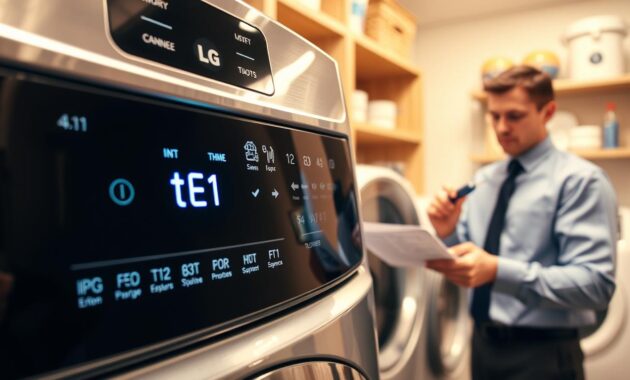
The lg dryer te1 error code often points to problems with the temperature monitoring system. I’ve seen this error many times while fixing appliances. I’m here to explain what it means.
- Thermistor malfunction
- Incorrect temperature readings
- Potential wiring issues
- Control board communication problems
When the lg dryer te1 error code shows up, you might see a few signs:
- Dryer stops heating completely
- Inconsistent drying temperatures
- Unexpected shutdowns during cycles
- No response from temperature controls
To fix the tE1 error code, start with a simple reset. Unplug the dryer for about 5 minutes, then plug it back in. If the error stays, you’ll need to dig deeper.
| Troubleshooting Step | Difficulty Level | Recommended Action |
|---|---|---|
| Reset Dryer | Easy | Unplug for 5 minutes |
| Check Wiring | Moderate | Inspect thermistor connections |
| Replace Thermistor | Advanced | Professional repair recommended |
If the reset doesn’t work, call a certified LG technician. Replacing the thermistor needs special skills and knowledge.
Common LG Dryer Error Codes and What They Mean
When your LG dryer starts acting up, error codes can be your first clue to understanding what’s going wrong. These diagnostic messages help you pinpoint specific issues quickly and potentially save on costly repair calls.
LG dryers use unique error codes to communicate different problems. Understanding these codes can help you troubleshoot and resolve issues faster.
Decoding the DE Error Code
The lg dryer error de typically signals a door-related problem. This code appears when your dryer’s control board detects an issue with the door closure mechanism. Several possible causes exist:
- Door not completely closed
- Obstructed door seal
- Damaged door latch
- Faulty door switch
I recommend checking these components carefully. Sometimes, simply adjusting the door striker or removing any clothing blocking the seal can resolve the lg dryer error de quickly.
Understanding the OE Error Code
The lg dryer error oe is slightly more complex. While more common in washers, some dryer models use this code to indicate drying or airflow problems.
- Restricted ventilation
- Clogged lint filter
- Potential heating element issues
- Thermostat malfunction
When you encounter the lg dryer error oe, start by checking your dryer’s ventilation system and cleaning the lint filter thoroughly. If problems persist, professional inspection might be necessary.
My Experience Troubleshooting LG Flow Sense Errors
When I first saw the lg flow sense error on my LG dryer, I was lost. The four LED bars on the control panel seemed like a secret code. But, I soon found out they were a safety feature.
My journey to fix the error started with understanding the LG Flow Sense system. It’s not just a warning. It’s a smart safety feature that warns you about ventilation issues.
- The first warning came with minimal LED bars lighting up
- I initially ignored the lg flow sense error, thinking it wasn’t serious
- Gradually, more LED bars began to illuminate, signaling increasing restriction
My biggest mistake was waiting too long to check it out. As the LED bars lit up more, I saw the dangers of blocked vents. They can make your dryer less efficient and even cause fires. The Flow Sense system was trying to tell me something.
After cleaning my exhaust system, the error went away. I learned important lessons about keeping my dryer in good shape:
- Clean lint filters after every load
- Inspect and clean exhaust vents annually
- Watch for early warning signs of airflow restriction
The lg flow sense error might seem scary, but it’s your dryer’s way of protecting you. Don’t ignore those warning lights. They’re more than just a hassle.
How to Reset Your LG Dryer When Error Codes Appear
Error codes on your LG dryer can be a real pain. A simple reset often fixes many common problems. Knowing how to reset your dryer can save you time and money.
At times, your LG dryer just needs a quick reset to fix temporary issues. The basic reset steps are easy:
- Unplug the dryer from the electrical outlet
- Wait at least 5 minutes to allow the control board to fully discharge
- Plug the dryer back into the power source
- Turn on the dryer and check if the error code has cleared
Alternative Reset Techniques
Not all LG dryers reset the same way. Some models need special button combinations. Always check your owner’s manual for the right steps.
When Resetting Doesn’t Resolve the Issue
If resetting doesn’t work, you’ve got a bigger problem. Error codes that keep coming back usually mean something’s wrong mechanically or electrically. Here’s what to do:
- Carefully review the error code description
- Verify you’ve addressed the original problem completely
- Consult your LG dryer’s user manual
- Contact LG customer support for professional guidance
Remember, a reset is just a temporary fix. If error codes keep coming back, you might need a pro to fix it.
Solving LG Dryer Not Heating Issues
Dealing with an lg dryer not heating can be frustrating. I’ve faced this problem many times. I’ve learned some key steps to fix it quickly and save money.
When your LG dryer runs but doesn’t heat, several issues might be the cause. Let’s look at the most common problems:
- Blocked exhaust vent restricting airflow
- Faulty heating element
- Damaged thermal fuse
- Malfunctioning thermostat
- Power supply complications
First, check the exhaust system. A clogged vent can stop the dryer from heating. I recommend taking off the exhaust hose to look for lint or blockages.
| Potential Issue | Diagnostic Steps | Recommended Action |
|---|---|---|
| Blocked Exhaust | Check vent hose for lint | Clean or replace vent hose |
| Heating Element | Visual inspection | Test with multimeter or replace |
| Thermal Fuse | Check for continuity | Replace if damaged |
For electric lg dryers not heating, check the circuit breaker and power connections. Gas dryers need a check on the gas supply and igniter. If you’re not sure, it’s best to call a professional.
Safety tip: Always unplug your dryer before doing any tests or repairs. Some fixes need special tools and knowledge.
Why My LG Dryer Cooling Light Stays On
I’ve seen many questions about the lg dryer cooling light staying on. It can be puzzling for homeowners. But knowing its purpose can ease your mind.
The cooling cycle is a key feature in modern dryers. It protects your clothes and prevents wrinkles. If your lg dryer cooling light stays on, it’s usually just part of the drying process.
Understanding the Cooling Cycle
The cooling cycle keeps your dryer tumbling clothes without heat. It does several important things:
- It slowly lowers the clothes’ temperature.
- It stops sudden temperature changes.
- It helps reduce wrinkles.
- It protects delicate fabrics.
Troubleshooting Persistent Cooling Light Problems
Even though the cooling light is normal, it can sometimes mean there’s a problem. If the lg dryer cooling light stays on for more than 30 minutes, there could be an issue. Here are some possible causes:
- A faulty thermistor that can’t detect temperature.
- A malfunctioning control board.
- Problems with the cycle selector.
To troubleshoot, try resetting the dryer and checking the cycle settings. If the problem persists, it’s best to call a professional technician.
Read also: OE Error Code LG Washer: Quick Fixes and Solutions
Conclusion
Exploring LG dryer error codes has shown me they’re not scary. Troubleshooting has taught me most codes help find quick fixes. They act as guides to solving problems.
Understanding error codes is key. Whether it’s d80, d90, tE1, DE, or OE, knowing what they mean saves time and stress. Most issues can be fixed with simple maintenance and a step-by-step approach.
My main tip for LG dryer owners is to stay ahead. Regular upkeep like cleaning the lint trap and checking the vent can prevent many issues. If an error code shows up, start with easy fixes. Sometimes, a simple reset can solve the problem.
Getting to know your dryer’s error codes gives you control over its health. With patience and the right info, you can handle most problems. This keeps your dryer running well for years.